
Support and claims
Send a message to a brand's team, and claim a creator profile the brand set up for you before you joined.
Use your brand portal to message a brand's team and to claim a creator profile the brand set up for you before you joined.
Contact the brand
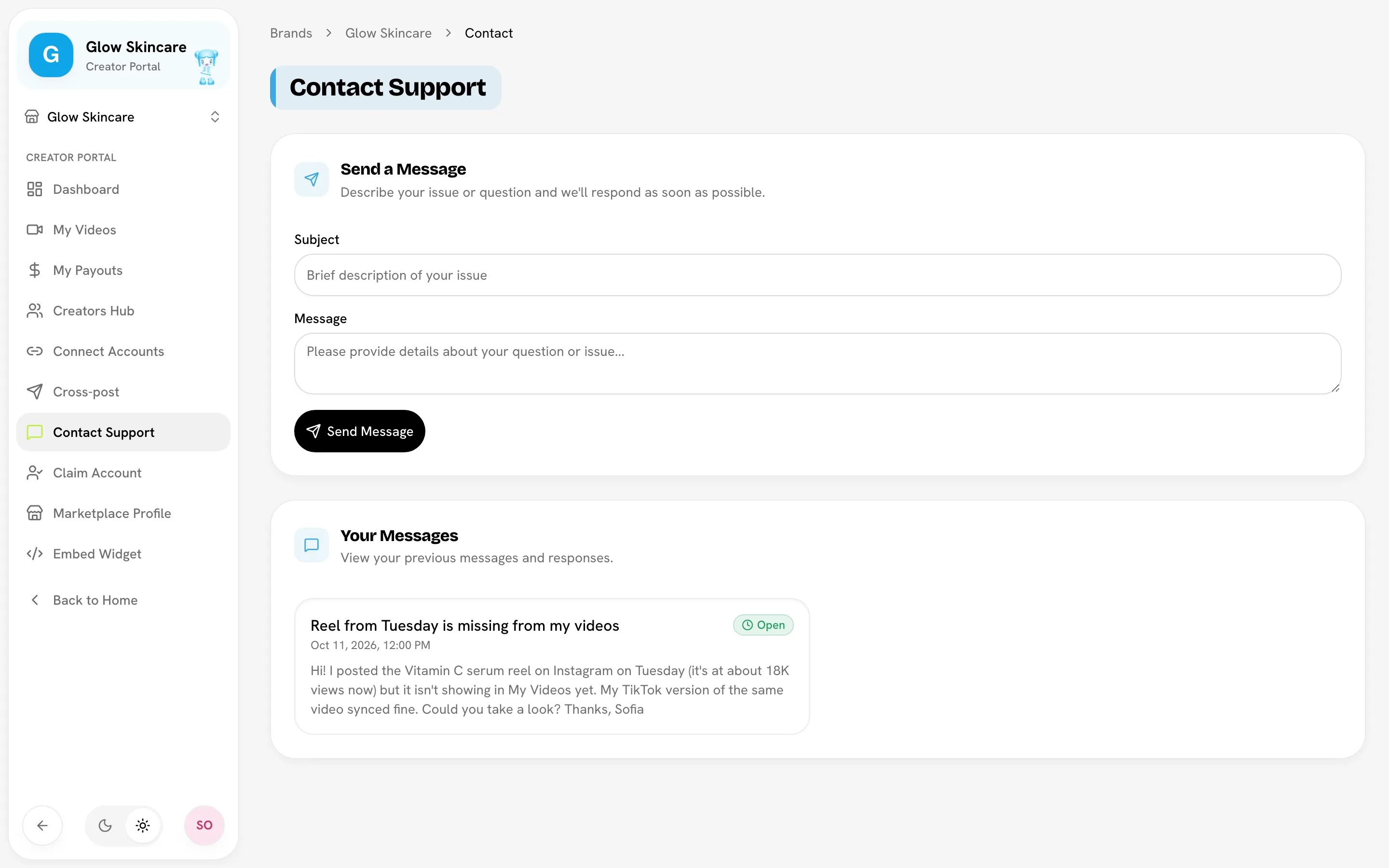
Questions about pay, a missing video or locked details go to the brand you create for. Go to Creator PortalContact Support.
Open Contact Support- Under Send a Message, enter a Subject and your Message. Include links to any videos you're asking about.
- Click Send Message.
Your message goes to the brand's admins, not to Bloss. Your past messages are listed under Your Messages with their status:
| Status | What it means |
|---|---|
| Open | Sent, not picked up yet. |
| In Progress | The brand is looking into it. |
| Resolved | The brand has dealt with it. |
| Closed | The brand is done with it, whether or not it needed a fix. |
Replies
This page shows each message's status, but not the brand's written reply. Watch for the status to change, and keep an eye on the channels the brand normally uses to reach you.
Claim a profile the brand set up for you
Brands sometimes add creators before they have a Bloss account, for example to start tracking their videos. If the brand did that for you, you can claim that profile and take over its history.
Go to Creator PortalClaim Account. You'll see any unclaimed profiles in this brand, with their name, email and socials.
Find your profile
Find the card with your name and socials, then click Claim This Profile.
Confirm
Read the warning, then click Yes, claim this profile.
Wait for the brand to review it
The card shows Pending. A brand admin checks that the profile is yours and accepts or rejects the request.
Claiming replaces your current membership
When the brand accepts, the claimed profile replaces your current membership in this brand. Your original creator profile in this brand is deleted, including its videos, sets and payout history. This can't be undone. Only claim a profile that's really yours.
You can only have one pending claim at a time. If a claim is rejected, you can submit it again. If there's nothing to claim, you'll see No unclaimed profiles.
Looking to claim a public marketplace profile instead? See Claiming an unclaimed profile.
Related
Last reviewed Oct 12, 2026
Cross-posting
Connect your accounts once, then upload one video and publish or schedule it to Instagram, TikTok, YouTube and Facebook from Bloss.
Use your data with AI agents
Connect an AI agent such as Claude to your Bloss data and ask it about your earnings, payouts, videos, views and bounties. Free for every creator.