
Creating a brand
Create a new brand in your agency, choose its URL, and subscribe it now or later.
Agency owners and admins can create brands. Each brand gets its own admin console, creators and settings, and needs its own subscription before anyone can use it.
Create a brand
Open the wizard
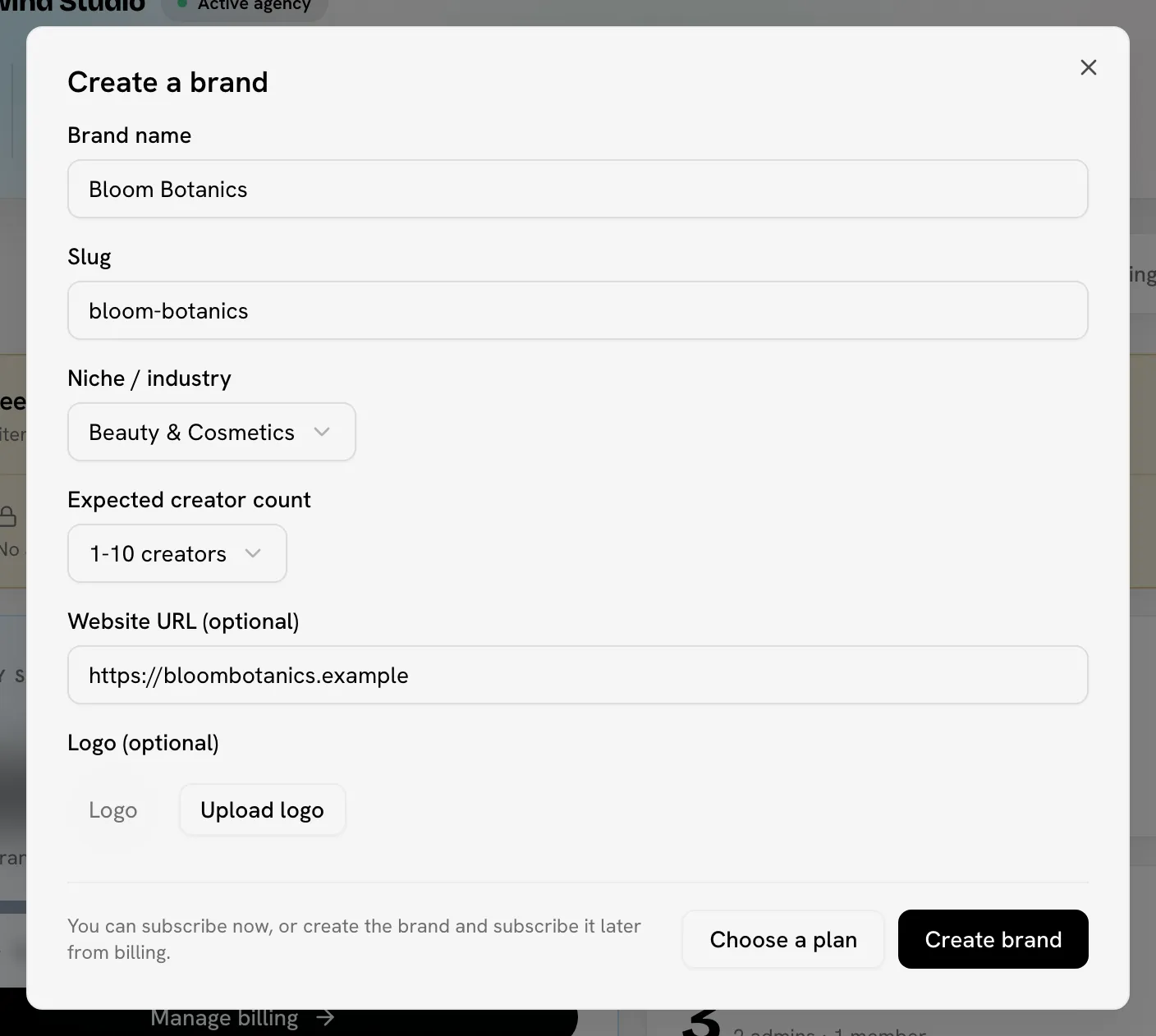
In your agency, click Create brand. It's at the top of every agency tab, on the Overview tab's brand list, and on the Brands tab.
Open your agency's Brands tabFill in the brand details
| Field | What to enter |
|---|---|
| Brand name | At least 2 characters. You can rename the brand later. |
| Slug | The brand's address in Bloss, for example acme for /acme/admin. It's filled in from the name. Use lowercase letters, numbers and hyphens. You can't change it later. |
| Niche / industry | The category that fits best, from Fashion & Apparel to Entertainment, or Other. |
| Expected creator count | 1-10, 11-50, 51-200 or 200+ creators. |
| Website URL (optional) | The brand's website. |
| Logo (optional) | An image for the brand. |
Subscribe now or later
- To subscribe now, click Choose a plan, pick a plan and click Continue to checkout. Continue with the next step.
- To subscribe later, click Create brand. Bloss creates the brand without a subscription and lists it under Brands without a subscription on the Billing tab. It stays locked until it's subscribed. See Billing.
Review and confirm
On Review & confirm:
- If you have a coupon, enter it under Have a coupon code? and apply it. The discount shows in the charge details.
- Check the plan, the monthly charge and your new agency total.
- Confirm:
- First brand, no card on file yet: click Continue to payment. You add your card on Stripe's secure checkout page, then return to your agency's Billing tab with the message "Payment received — finalizing your subscription…". If you leave the checkout page without paying, the brand is still created, but without a subscription.
- Card already on file: click Pay … and subscribe. Bloss charges the card the agency already uses and opens the brand's page in your agency.
If the payment fails
Bloss doesn't create the brand, so you can fix the problem and try again. The agency owner updates the card with Manage payment method on the Billing tab.
Slug errors
| Message | What to do |
|---|---|
| "Slug is already taken" | Another brand uses this slug. Pick a different one. |
| "That brand URL is reserved. Please choose a different one." | The slug is a word Bloss uses for its own pages. Pick a different one. |
| "Lowercase letters, numbers, hyphens only." | Remove spaces, capitals and other characters. |
After you create a brand
Open the brand from the Brands tab and click Admin Dashboard to set it up: timezone, pay rules, payout provider and creators. The Quickstart for brands walks through it.
As an agency owner or admin, you're automatically an admin of every brand in the agency. To give other people access, see Members and access.
Related
Last reviewed Oct 12, 2026