
Billing
Subscribe brands, change or cancel plans, use coupons, update your card and recover from a failed payment.
Each brand in your agency has its own monthly subscription, and all of them are charged to the agency's card. Payments are processed by Stripe.
Only the agency owner sees the Billing tab, so only the owner can change or cancel plans and update the card. Agency admins can subscribe brands from the Brands tab or when they create a brand.
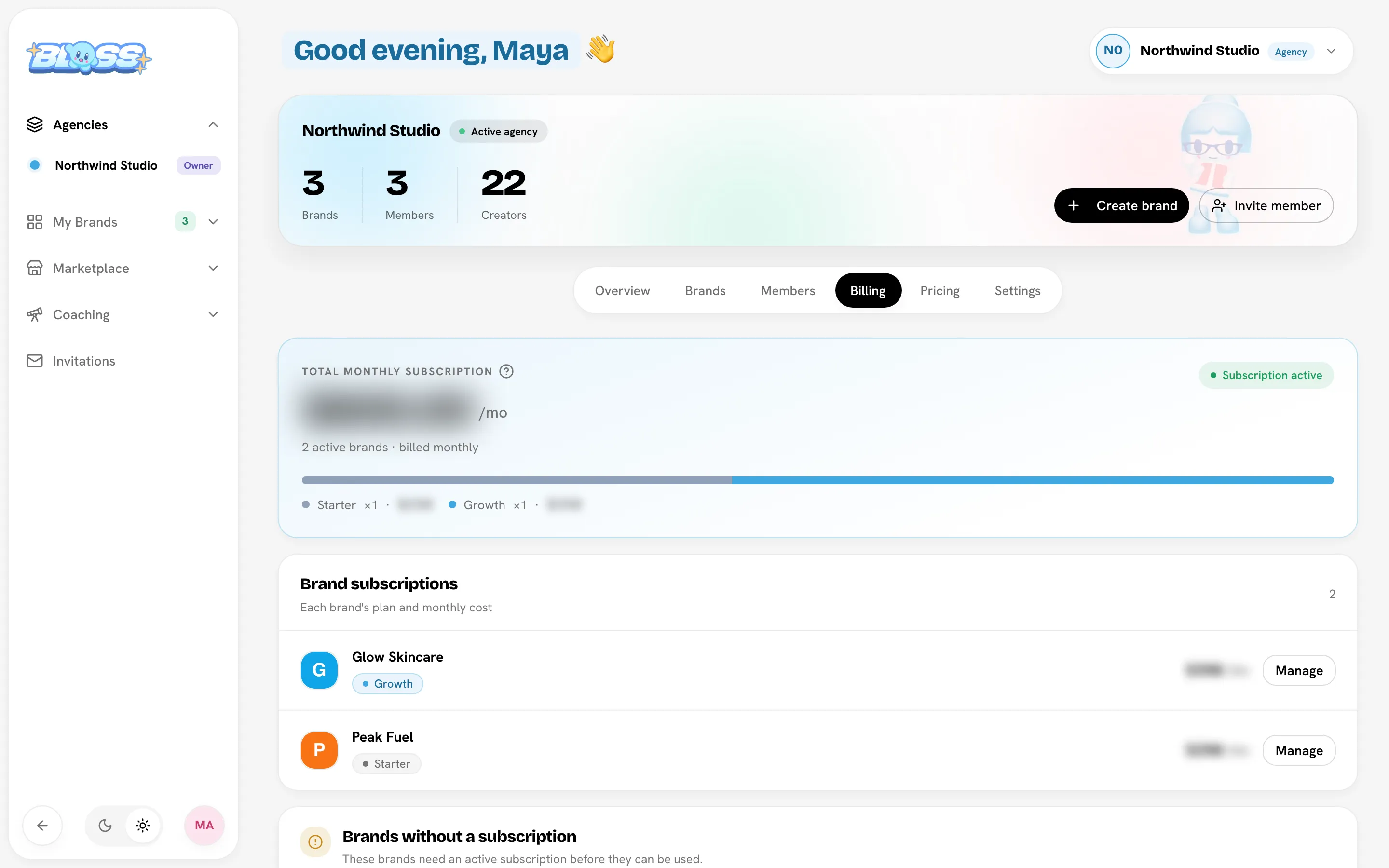
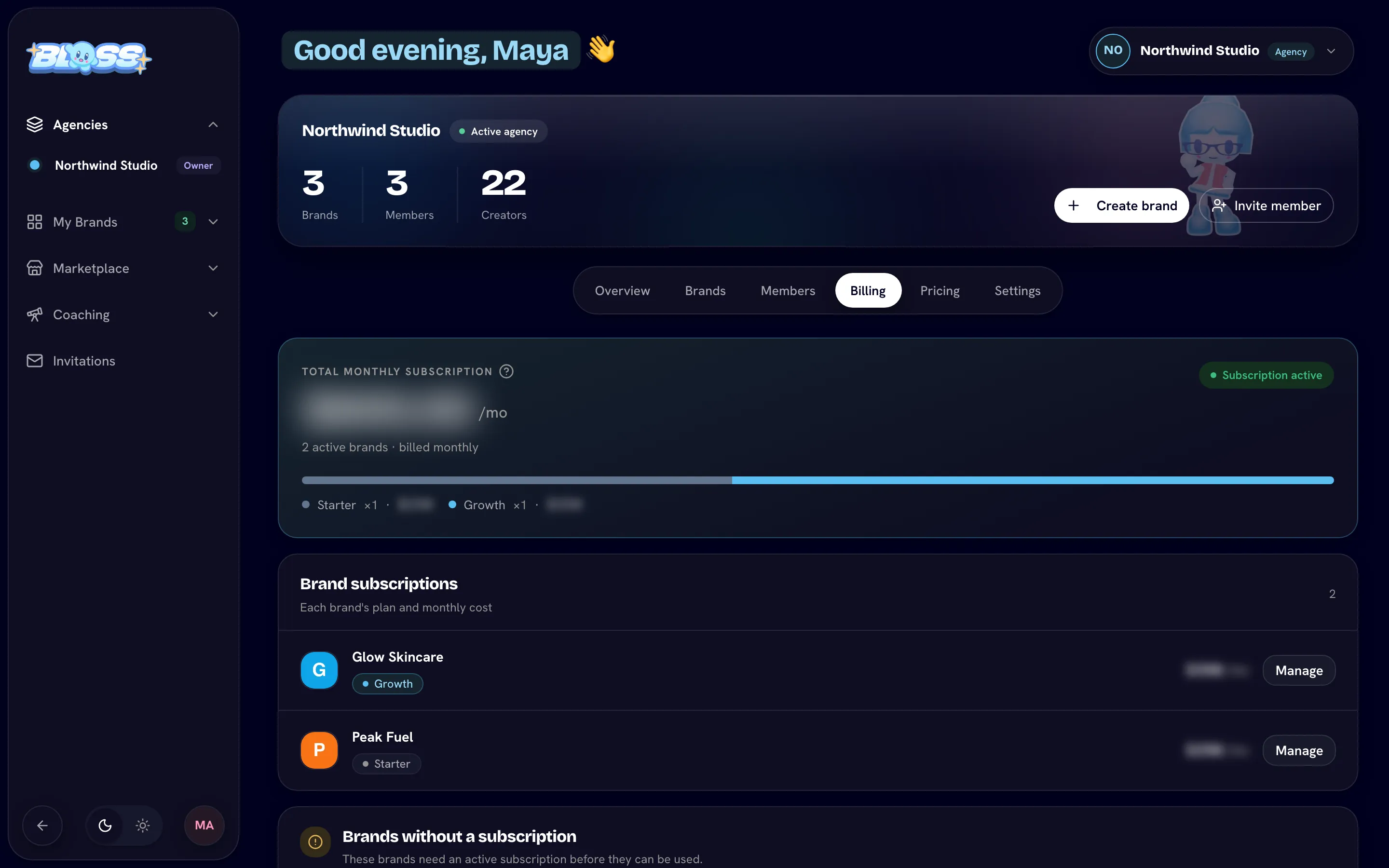
Open BillingThe Billing tab
| Section | What it shows |
|---|---|
| Total monthly subscription | What the agency pays each month across all active brands, broken down by plan, with a status: Subscription active, Payment past due or No active subscriptions. |
| Brand subscriptions | Each brand with a subscription or complimentary access, with its plan, monthly cost and any pending change, such as Switches to a plan on a date or Cancels on a date. |
| Brands without a subscription | Brands that are locked until you subscribe them. |
| Billing & payment method | Manage payment method opens the Stripe billing portal, where you update your card and see invoices. |
Subscribe a brand
You can subscribe a brand when you create it, or later:
- Find the brand under Brands without a subscription (or on the Brands tab) and click Subscribe.
- Pick a plan and click Continue.
- Optionally enter a coupon under Have a coupon code?.
- Check the charge details and your new agency total, then confirm:
- With a card on file, click Pay … and subscribe. The card is charged straight away.
- Without a card on file, click Continue to payment to add one on Stripe's checkout page. You come back to the Billing tab when it's done.
The brand unlocks as soon as the subscription is active.
Change a brand's plan
- Under Brand subscriptions, click Manage next to the brand.
- Click Change plan, pick the new plan and click Continue.
- Review what will happen and confirm.
| Change | What happens | Confirm button |
|---|---|---|
| Upgrade | Your card is charged today for the prorated difference over the rest of the billing period. The brand then renews at the new price. | Pay … and switch to plan |
| Downgrade | No charge today. The brand keeps its current plan's features until the end of the billing period, then switches. | Schedule downgrade to plan — no charge today |
A scheduled downgrade shows as Switches to plan on the brand's row. To keep the current plan, open Manage and click Cancel next to the scheduled change.
You can't change plans while a payment is failing or while a cancellation is scheduled. Fix the payment, or resume the subscription, first.
Cancel or resume a subscription
- Click Manage next to the brand, then Cancel subscription.
- Confirm with Cancel subscription, or click Keep subscription to back out.
The brand stays active until the end of the period you've paid for, and its row shows Cancels with the date. After that it becomes unsubscribed and locked, and you're not charged again. Nothing in the brand is deleted.
To change your mind before that date, open Manage and click Resume subscription. After the date, subscribe the brand again.
Coupons
If you have a coupon code, enter it under Have a coupon code? when you subscribe a brand or change its plan, then apply it. The review shows the Discount and what you pay Today.
Update your card and see invoices
Click Manage payment method on the Billing tab. This opens the Stripe billing portal, where you can change the card and download invoices. The card is shared by every brand in the agency.
Fix a failed payment
When a payment fails:
- The brand's status becomes Payment past due, on the Billing tab and on the brand's page.
- The Needs attention panel on the agency Overview says "Payment failed — update your card before the subscription is cancelled."
Click Update payment (or Manage payment method) and update your card in the Stripe billing portal. The brand keeps working while the payment is past due, but if it isn't fixed the subscription is canceled and the brand is locked.
Complimentary access
A brand with complimentary access uses its plan free of charge until a set date.
- The brand's card shows Free until the end date. The pill turns amber in the last 3 days, and Needs attention reminds you: "Complimentary access ends in N days — subscribe to keep this brand running."
- To keep the brand running, click Subscribe and choose a plan, then Start subscription — no charge today. Billing starts when the complimentary access ends, and the card then shows plan billing starts on that date.
- If the complimentary access ends without a subscription, the brand is locked.
Paid until
A brand can show Paid until a date instead of a monthly renewal. It's already paid for up to that date and keeps its plan until then. To keep it running after that date, add a payment card:
- Click Subscribe on the brand and choose a plan.
- Click Start subscription — no charge today, and add your card on Stripe's checkout page.
You're not charged until the Paid until date, so you never pay twice for the same days. The brand's card then shows plan billing starts on that date.
- Reminders: in the last 7 days, Needs attention on the agency Overview says "Paid until … Add a payment card to keep this brand running." The agency owner also gets an email a week before and the day before.
- If you'd already cancelled the brand, there's nothing to do. It stops on that date, as you chose.
- If no card is added, the brand is locked after that date. Nothing in it is deleted, and you can subscribe it again later.
Managed accounts
If your brands use managed accounts, they're paid with the agency's card too, separately from the brand subscriptions above:
- What's charged: each managed account's first month, its monthly plan, and any posts, top-ups and add-ons a full brand admin buys. They're separate payments from the brand's subscription.
- Invoices: every managed-account payment has its own invoice. It's listed on that account's Billing tab under Card and invoices, and with the agency's other invoices in the Stripe billing portal.
- Who changes the card: only the agency owner, the same as for brand subscriptions. Brand admins see Paid by your agency on the account's Billing tab, without a way to change the card.
- Emails: receipts and payment problems for a brand's managed accounts go to the agency owner and the brand's full admins.
If a managed account's plan payment fails, the account pauses straight away. Update the card, then a full brand admin resumes the account from its Billing tab. See If a payment doesn't go through.
When a brand has no subscription
A brand with no subscription and no complimentary access is locked for everyone, admins and creators alike. Anyone who opens it sees This brand is inactive with a Go to agency billing button. Its data is kept, and subscribing unlocks it again.
Related
Last reviewed Oct 22, 2026