
Creator claims
Review requests from creators who want to take over a profile you created for them — and understand why accepting one permanently deletes their other account in your brand.
A claim is a request from a creator to take over a profile you created for them.
It happens when you add a creator yourself — the profile has no Bloss account behind it — and the real creator later joins your brand with their own account. From their creator portal they open Claim Account, find the profile you made, and ask to claim it. You decide on Creator Claims.
You get a requested a creator profile notification for each new claim.
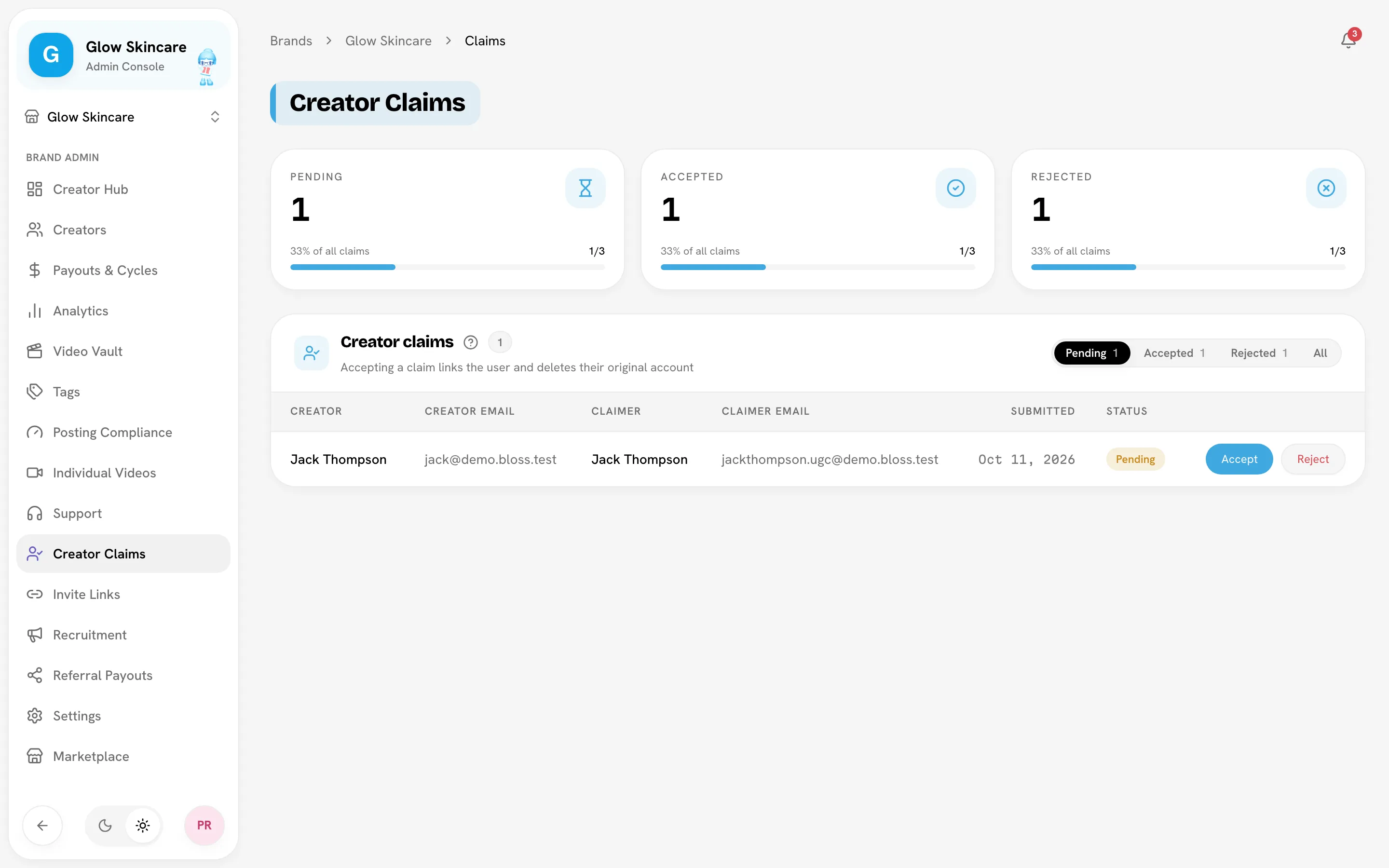
Review a claim
Go to Creator Claims. Filter by pending, accepted, rejected or all. Each row shows:
| Column | Meaning |
|---|---|
| Creator / Creator email | The profile you created. |
| Claimer / Claimer email | The signed-in person asking to take it over. |
| Submitted | When they asked. |
| Status | pending, accepted or rejected. |
Before you accept, check that the claimer really is the person behind the profile: compare their email and the social handles on the profile.
Accept a claim
Accepting permanently deletes the claimer's original account in your brand
When the claimer joined your brand, Bloss gave them their own creator profile. Accepting the claim deletes that profile — all its videos, sets, payout history and data in your brand — and can't be undone. Only accept if you're certain it's the right person.
Click Accept
On the pending row, click Accept.
Read the confirmation
The Accept this claim? dialog names the claimer and the profile they'll be linked to.
Confirm
Click Yes, accept and delete original account.
What happens next:
- The claimer's Bloss account is linked to the profile you created. They now see its history, videos and pay in their portal.
- The profile's email changes to the claimer's email.
- The claimer's original profile in your brand is deleted.
- Any other pending claims for the same profile are removed.
If someone else's claim on the profile was accepted first, Bloss tells you it has already been claimed.
Reject a claim
Click Reject. Nothing changes on either profile. The claimer can ask again, and a renewed request notifies you again.
Related
Last reviewed Oct 13, 2026