
Running a cycle
Generate and recalculate a cycle's payouts, pay creators through your provider or mark them paid, rate creators, and undo or delete a cycle.
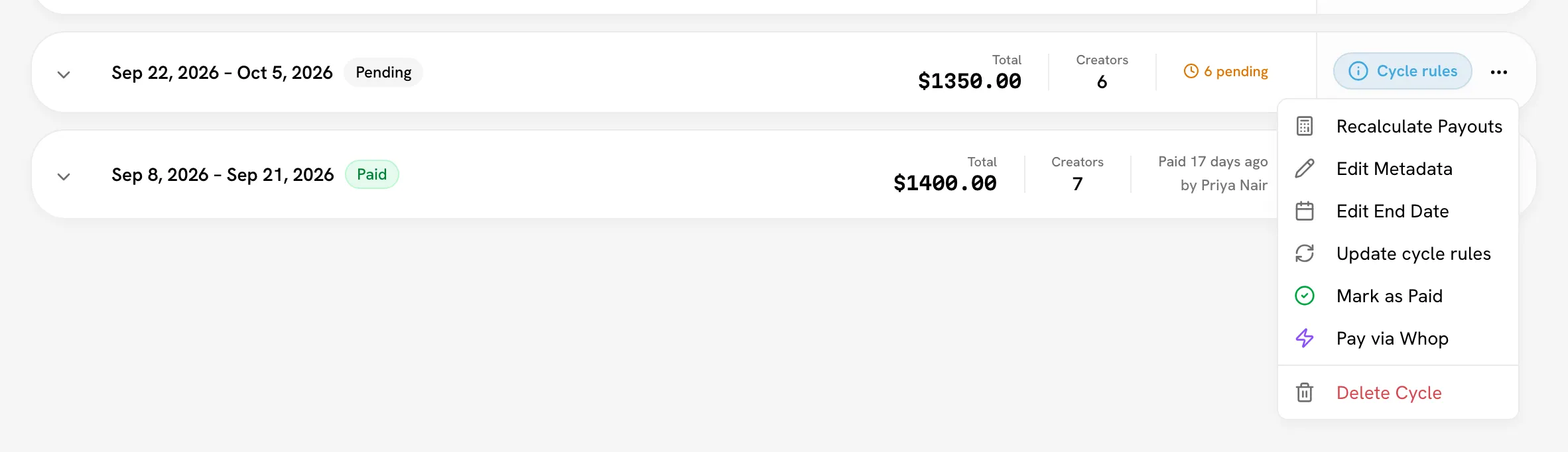
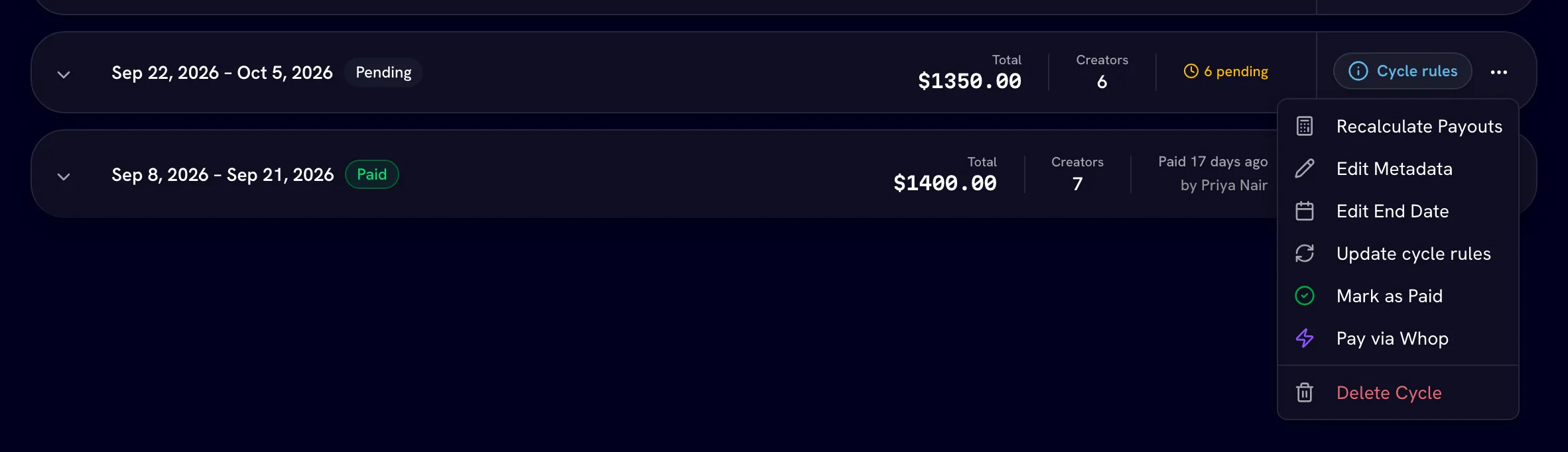
Every action on a cycle is in its ⋯ menu on Payouts & CyclesCycles. A typical cycle goes: pair videos → Generate Payouts → (cycle ends) → Recalculate Payouts → Pay via your provider or Mark as Paid.
Generate or recalculate payouts
The calculation action has a different name depending on the cycle:
| Menu label | When |
|---|---|
| Generate Payouts | The cycle has no creator rows yet. Creates one row per active or trial creator. |
| Recalculate Payouts | Rows exist. Re-prices every set and rewrites the creator rows. |
| Process Ledger Deltas | Ledger model only. See Cycle vs ledger. |
Pair first
Generating doesn't pair videos for you. Make sure eligible videos are paired into sets before you generate, or their views won't count. See Pairing videos.
Choose the view counts
In the confirmation, pick View counts to use:
- Latest (from last sync) for a running cycle. For an ended cycle this option reads Cycle end date: figures freeze at the deadline, and views earned after it don't count.
- Snapshot from a specific date prices against the counts recorded on one day. On an ended cycle, a date after the end date overrides the freeze and counts views earned since. If a creator has no snapshot for that day, Bloss warns you and uses the closest available one.
Start
Click Generate Payouts or Start Recalculation. A progress panel shows while it runs. You can switch tabs; the run keeps going.
While payouts calculate, Bloss offers Got a moment? Rate your creators so you can leave marketplace reviews.
Recalculation locks after a transfer
Once any creator in the cycle has been paid through your provider, the menu shows Recalculate Payouts (locked — paid via …). Transfers are final, so the cycle can't be re-priced.
Pay the cycle through your provider
Full admins onlyWhen the cycle has ended and has creator rows, choose Pay via Whop or Pay via SideShift (the menu names your payout provider).
- The dialog shows Creators to pay. Creators with no Whop account or SideShift wallet are listed as skipped.
- Click Confirm & Pay. Each creator still Pending is paid what's Due.
- If everyone was paid, the cycle is marked paid. If anyone was skipped, it stays pending until you pay them.
Mark as paid (paid outside Bloss)
Full admins onlyUse this when you paid creators yourself, for example by bank transfer or PayPal.
Open Mark as Paid
After the cycle ends, choose Mark as Paid in the menu. Before the end date it reads Mark as Paid (available after cycle end). If some rows are already paid, it reads Mark remaining N as Paid.
Record the details (optional)
Add a Payment Method, a Reference / Transaction ID and Notes. You can change them later with Edit Metadata.
Rate the creators (optional)
Under Rate the creators you're paying, leave star ratings and reviews. They appear on creators' marketplace profiles.
Confirm
Click Confirm Payment. Only rows still pending are marked paid. Rows already sent through your provider aren't touched.
You can also settle one creator at a time: after the cycle ends, click Mark Paid on their row. Undo reverts a row you marked by hand. A row paid through a provider shows the provider's name instead and can't be undone.
Revert to pending
Full admins onlyOn a paid cycle, Revert to Pending sends the payouts you marked by hand back to pending and reopens the cycle. Payouts sent through a provider stay paid, because those transfers are final. If the cycle has both kinds, the item reads Revert manual payments….
Avoid paying twice
Only revert if those creators weren't actually paid outside Bloss. If they were, paying them again through your provider pays them twice.
Delete a cycle or a payout row
Delete Cycle removes the cycle and all its payout rows. It can't be undone, and it's refused when:
- the cycle is paid (Delete Cycle (disabled for paid cycles));
- base pay was already transferred for its sets mid-cycle (those transfers are final);
- base payouts for its sets are still awaiting approval. Decide them in the Base pay queue first.
The trash icon on a creator row deletes only that row. No money moves or is refunded, and generating the cycle's payouts again recreates the row from current figures.
Related
Last reviewed Oct 22, 2026