
Bonus pay board
Watch bonuses build during a cycle, then pay each creator's bonus — or individual sets — once the cycle ends.
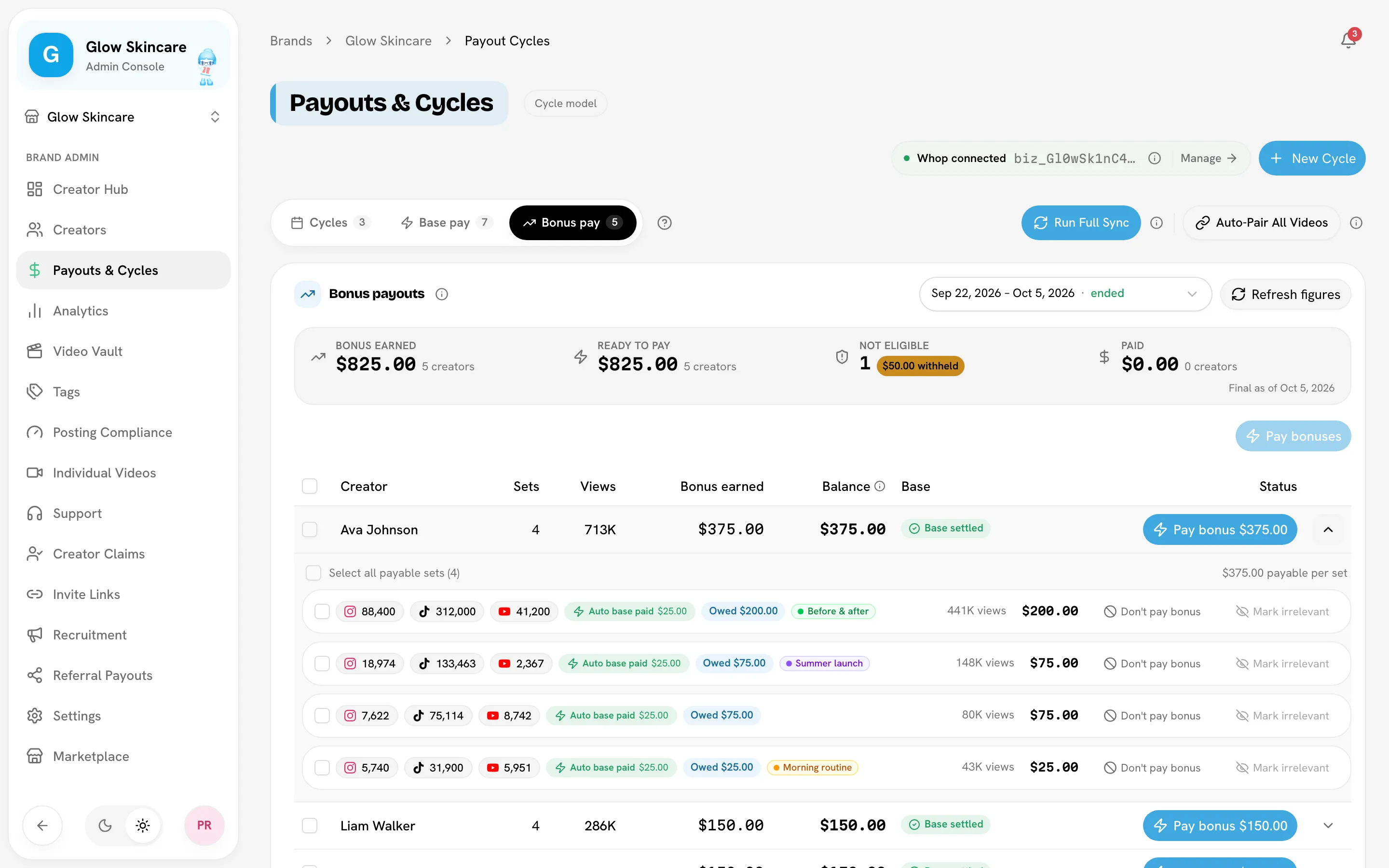
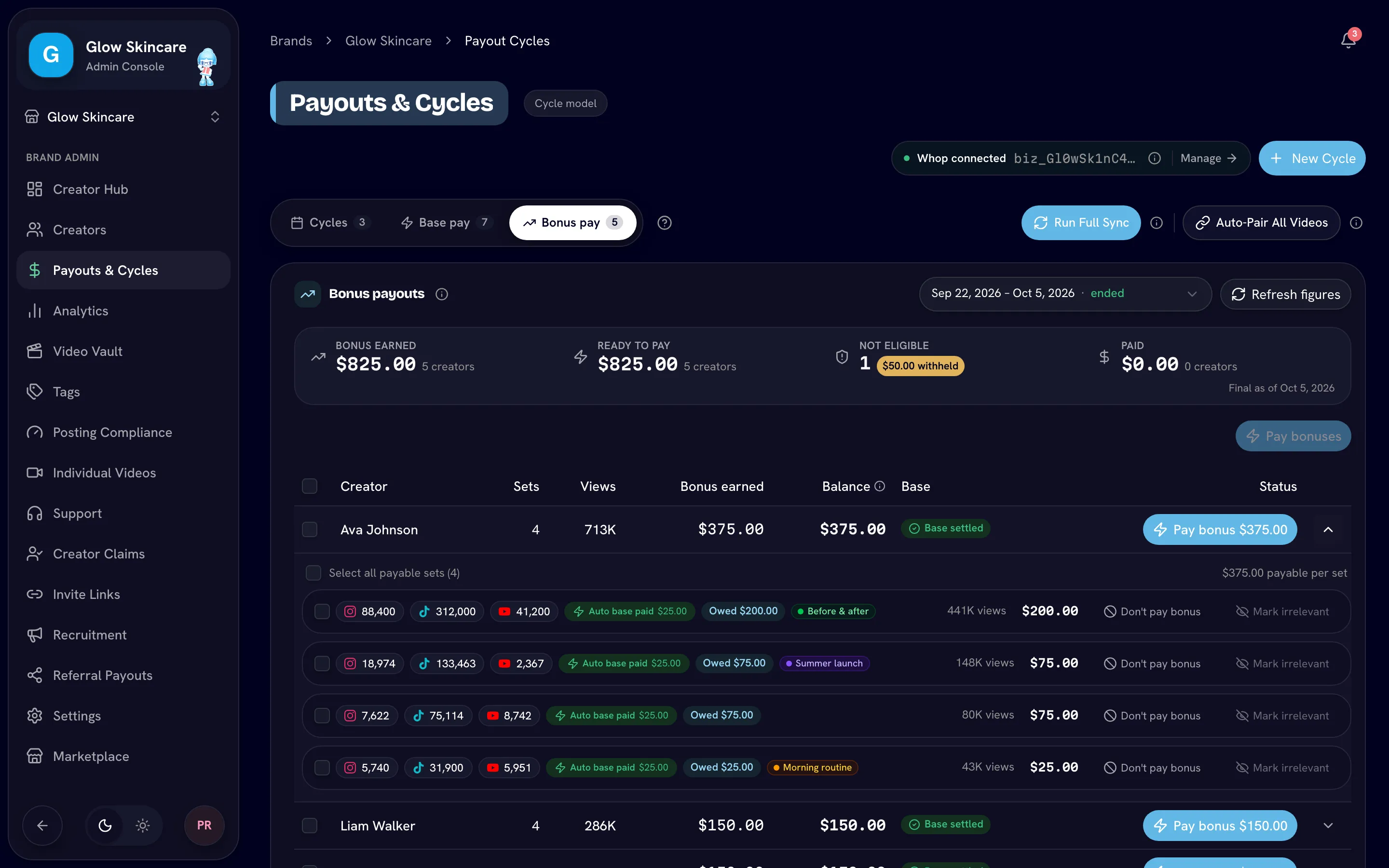
The Bonus pay tab on Payouts & Cycles shows what each creator has earned in bonus for one cycle, and lets you pay it once the cycle ends. Only full admins see it.
Open the Bonus pay tab
Pick a cycle
Use the cycle picker in the header. The tab opens on the most recent ended cycle that still owes money, otherwise the running cycle.
- Running cycle: a banner says Bonuses unlock after end date. You can watch figures grow but can't pay yet.
- Ended cycle: payable creators can be paid.
- Paid cycle: the board is read-only history.
- Ledger cycle: the board explains that ledger cycles settle bonus as deltas from the Cycles tab instead. See Cycle vs ledger.
Paying locks the end date
Pay bonuses only once the campaign length is final. The first payment locks the cycle's end date.
Read the board
The stat strip says As of (or Final as of for an ended cycle) the last sync, and shows:
| Tile | Meaning |
|---|---|
| Bonus earned | Total bonus across the cycle's creators. |
| Ready to pay | What you can pay now, and to how many creators. Reads Owed if no payout provider is connected. |
| Blocked by base | Creators whose base pay isn't settled yet (only with instant base pay on). |
| Not eligible | Creators held back by your instant base pay requirements. |
| Paid | What's been paid, to how many creators and sets. |
| Without Whop / Without SideShift | Creators with no account on your provider, who can't be paid. |
In the table, Bonus earned is the creator's bonus. Balance is everything the cycle still owes them after base already transferred, so it includes any unpaid base. Creators with no bonus are grouped at the bottom.
Pay a creator's whole balance
Tick creators and click the pay button, or use the button on a row. Its label depends on your setup:
| Label | When | Sends |
|---|---|---|
| Pay bonuses / Pay bonus | Instant base pay is on | The bonus. Base was paid from the Base pay tab. |
| Pay base + bonus | Instant base pay is off | Everything the creator is owed for the cycle. |
| Pay balance | Every set's bonus was already paid per set | The base left on the row. |
| Mark paid | No payout provider connected | Nothing is sent. Settle this cycle opens the Cycles tab, where you mark the cycle paid. |
Confirm with Confirm & Pay. Each creator gets one transfer.
With instant base pay on, bonus releases only after base is settled. A creator with base still in the queue shows Blocked · base outstanding; the base chip on their row opens the Base pay queue filtered to them.
Pay individual sets
Expand a creator to see the sets that earned their bonus.
- Tick the sets to pay. A set can be ticked once its own base is settled.
- Click Pay bonus for N sets · $X. The ticked sets' bonus goes out as one transfer per creator, and only the bonus, never base.
After a partial payment, the row's pay button sends what's left. When every payable creator is paid, the board offers Mark cycle as paid to close the cycle.
Don't pay bonus
Don't pay bonus on a set drops that set's bonus. Base pay is unchanged, and the creator sees no bonus on it. Restore it at any time while the payout is unpaid; it's re-priced from the cycle's rules.
Mark irrelevant is stronger: it flags the posts irrelevant and unpairs the set, so it leaves the board. Use it only when the posts aren't for this campaign.
Refresh figures
Refresh figures re-prices the cycle's sets and rewrites the creator rows, the same as Recalculate Payouts on the Cycles tab. It's hidden once any creator in the cycle has been paid through your provider, or the cycle is paid.
When a payment is in progress
If a per-set payment started but didn't finish, the row shows Payment in progress with the amount and start time. Nothing else can change that creator's money until it's resolved. Click Retry: it retries the same transfer, so the creator can't be paid twice. If it reads Not retryable, the attempt can't be retried from the board. Don't pay the creator another way; contact Bloss support at support@bloss.app with the brand, creator and cycle so the team can check whether the money went out.
Related
Last reviewed Oct 13, 2026
Instant base pay
Pay a set's base pay mid-cycle as soon as it qualifies — requirements, the review queue, withheld rows, and the campaign deadline.
Payout providers
Send creator payouts through Whop or SideShift — connecting Whop, funding a SideShift balance, switching providers, and opening creator accounts.