
Changing rules mid-cycle
What happens to running cycles when you change pay rules, and how to apply new rules to a cycle with Update cycle rules.
Each payout cycle locks in your pay rules when it's created, so changing SettingsRules never silently changes what a running cycle pays. New rules apply to future cycles. To apply them to a running cycle as well, use Update cycle rules.
What a cycle locks
| Locked into each cycle | Applies straight away |
|---|---|
| Base pay: amounts and the platform requirement | Timezone (for future cycle boundaries) |
| Minimum views: the threshold and how it's measured | Posting cadence |
| Bonuses: model, tiers or rate, cap, pair-aggregate mode | Trial settings |
| Payout model: cycle or ledger, and the ledger window | Feature flags |
| Instant base pay requirements and the campaign deadline | |
| Custom pay and bonus deals for a creator or a set (they apply to unpaid cycles) |
See exactly what a cycle has locked by clicking Cycle rules on it in Payouts & CyclesCycles.
The "Current cycle won't be affected" message
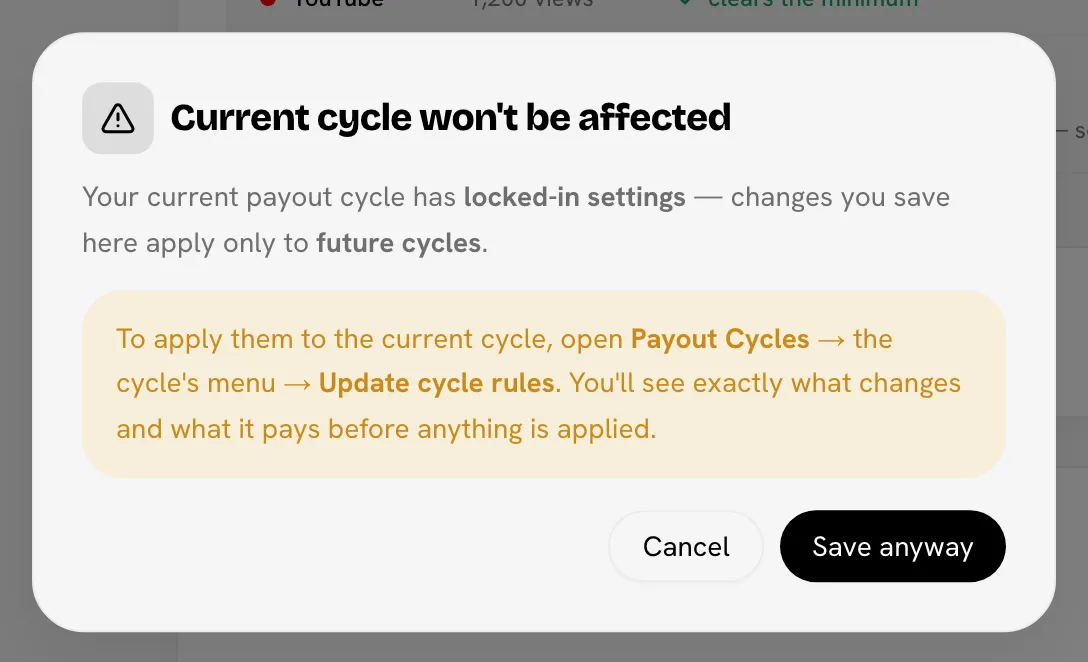
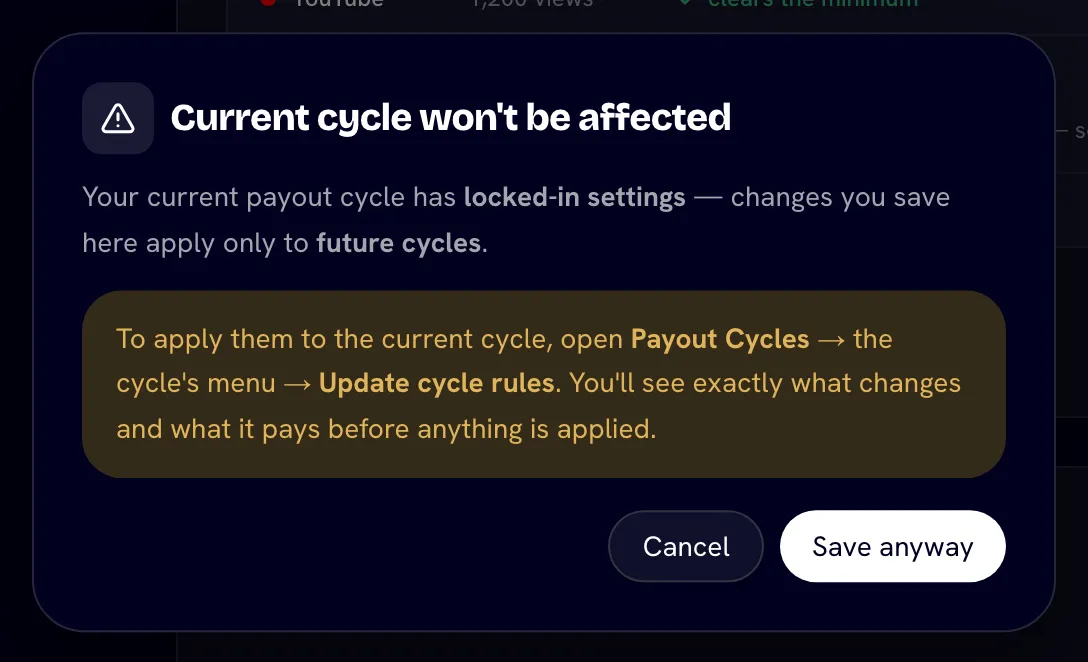
When at least one pending cycle has locked rules, saving on the Rules tab first shows Current cycle won't be affected: changes apply only to future cycles.
- Save anyway saves your settings. Running cycles keep their locked rules.
- Cancel saves nothing.
The message appears for most saves on the Rules tab, but only the locked rules in the table above are held back. Other settings, such as feature flags, apply as soon as you save.
Apply new rules to a running cycle
Save the new rules
Change and save the rules in SettingsRules (click Save anyway if asked).
Open Update cycle rules
On Payouts & CyclesCycles, open the cycle's ⋯ menu and choose Update cycle rules.
Pick what to adopt
Each rule group that differs (Base pay, Minimum views, Bonuses) is listed with its Now and After values. All are ticked; untick any you want to keep as they are.
Check what it pays
Bloss prices every set with the new rules and shows This cycle would pay old total → new total, with the difference, and how many sets and creators change.
Apply
Click Apply N changes. The cycle's rules update and its payouts are recalculated straight away.
The cycle's Cycle rules popover then shows when the rules were updated and by whom.
Limits
- Money already paid isn't taken back. If new rules would push a set below what it has already been paid, that part of the decrease doesn't apply, and the dialog says how much.
- The payout model can't change on an existing cycle. Switching between cycle and ledger mid-cycle would strand what has been settled. Delete and recreate the cycle instead.
- Paid cycles can't have their rules changed, and neither can a cycle that has already sent payments through your payout provider.
Cycles on live settings
Some older cycles have no locked rules: their Cycle rules popover shows Live settings, and any settings change re-prices them. To freeze them, choose Lock current settings in the cycle's menu. That locks today's rules onto the cycle, so later changes no longer affect it.
Related
Last reviewed Oct 13, 2026