
Sharing your Creator Hub
Give clients a read-only view of your Creator Hub with a link and access code, optionally including the Video Vault and Tag Analytics.
You can share a read-only copy of your Creator Hub with clients and other stakeholders. They don't need a Bloss account: they open a link and enter an access code. Payout and financial data is never shown.
Share the hub
Open the share dialog
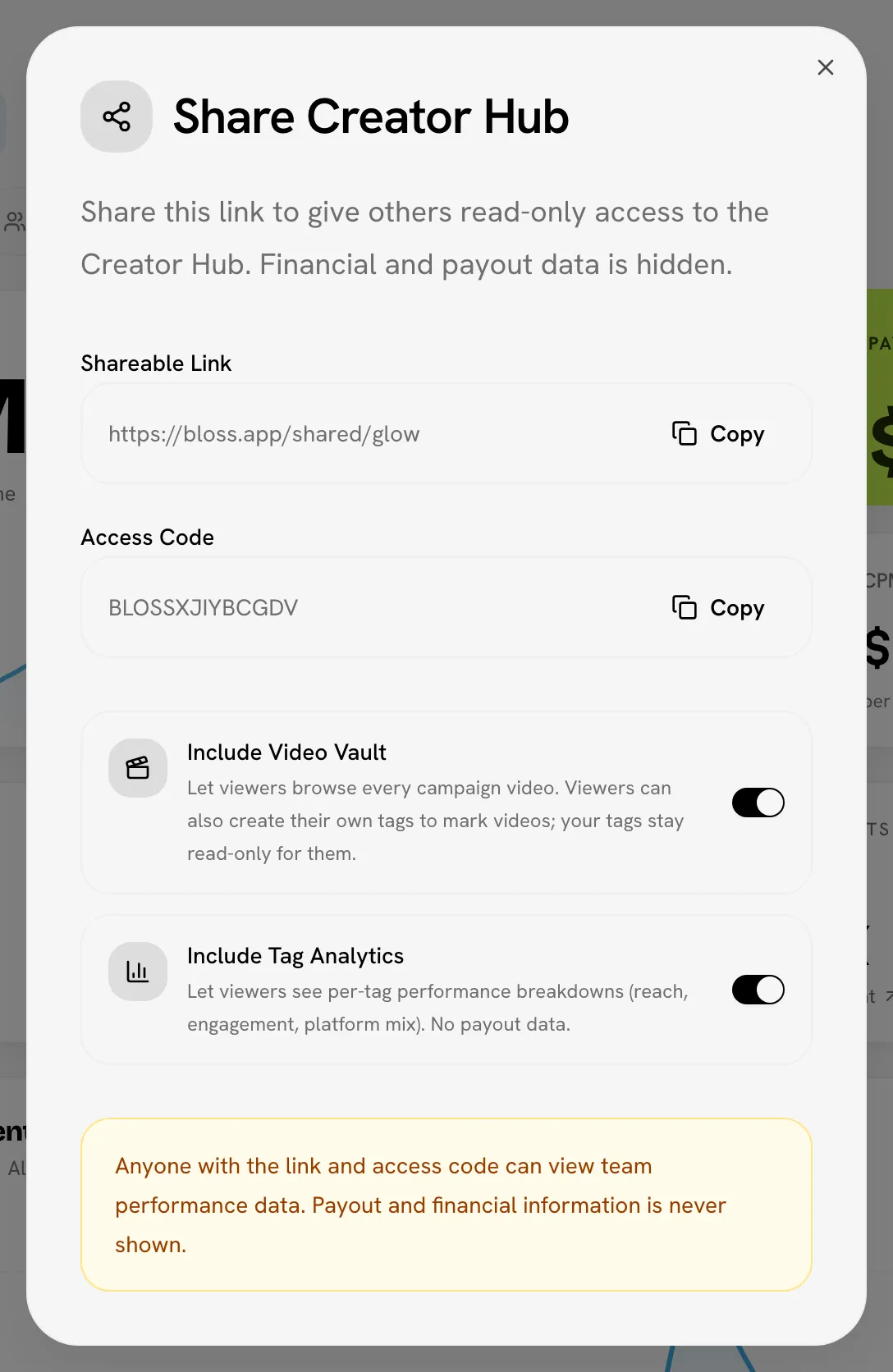
Go to Creator Hub and click Share in the header. The Share Creator Hub dialog opens.
Choose what to include
The dashboard is always included. Optionally, turn on either of these:
- Include Video Vault: viewers can browse every campaign video. They can also create their own tags to mark videos (see Client tags).
- Include Tag Analytics: viewers see per-tag performance breakdowns, such as reach, engagement and platform mix, with no payout data.
Each switch saves as soon as you flip it.
Send the link and code
Copy the Shareable Link and the Access Code and send them to your viewer. Send them separately if you can.
Any brand admin can share the hub and change what it includes.
What viewers see
The viewer opens the link, enters the access code and clicks Open shared dashboard. They then see your brand's Creator Hub with up to three tabs: Dashboard, plus Video Vault and Tag Analytics if you included them.
On the dashboard, viewers can switch between All Time, the current cycle and a custom range, and filter by platform, tag and creator group. They can't pick a past cycle by name.
| Shown | Never shown |
|---|---|
| Views, videos, engagement, followers and charts | Payouts, base pay, bonus pay and CPM |
| Creator names, leaderboards and top videos | Creator email addresses |
| Your tag and creator group names (for filtering) | Any payout or payment details |
Tag and group names are visible
Viewers can filter by tag and creator group, so they see those names. Rename anything you wouldn't want a client to read before you share.
Client tags
When the Video Vault is shared, viewers can create their own tags and add them to videos, to organize the work their way.
- Viewers can add, rename, recolor and delete only their own tags. Your tags appear on videos as fixed chips they can't change.
- Their tags are shared with your team. In Tags and in the Video Vault they carry a Client badge ("Created by a client on the shared Creator Hub").
- If you turn the vault off again, viewers can no longer create or change tags.
See Tags and tag analytics for how tags work.
Stop sharing
Turn off Include Video Vault or Include Tag Analytics to remove those tabs from the share at any time.
The link and code don't change
Each brand has one shareable link and one access code, and they can't be reset. Anyone who already has both can keep viewing the dashboard. Share them only with people you trust.
Related
Last reviewed Oct 13, 2026