
Tags and tag analytics
Label videos and sets with tags — hooks, products, formats — and use Tag analytics to see which ones perform, how the score and tiers work, and which tags win together.
A tag is a label you put on content — a hook ("POV"), a product, a format, a campaign angle. Tag your videos and Bloss shows which tags bring the views and engagement.
Tag content
You can tag in two places:
- Video Vault — use a video's or set's tag button. See Video Vault.
- A creator's Videos tab — tag a set. Use Pre-fill tags from this pair's videos to copy the tags already on its posts up to the set.
How tags spread:
- Tagging a set also tags every post in it, so view numbers and pay numbers stay in step.
- In the Video Vault, removing a tag from one post of a set removes it from the whole set.
- A post can carry any number of tags.
Tags are also available in the Creator Hub, Analytics and the Campaign API as filters.
Manage tags
Click Manage tags on the Tags page (or Manage in the Video Vault) to create, rename, recolor or delete tags. Tag names are unique within your brand, regardless of capitalization.
Deleting a tag removes it from every video.
Client tags
If you share your Creator Hub with Tag Analytics turned on, your client can make their own tags there. Their tags carry a Client badge. Clients can only edit their own tags; yours are read-only to them. See Sharing your Creator Hub.
Tag analytics
Open Tags in the sidebar. The page is headed Tag analytics: Which tags drive views and engagement.
Open Tags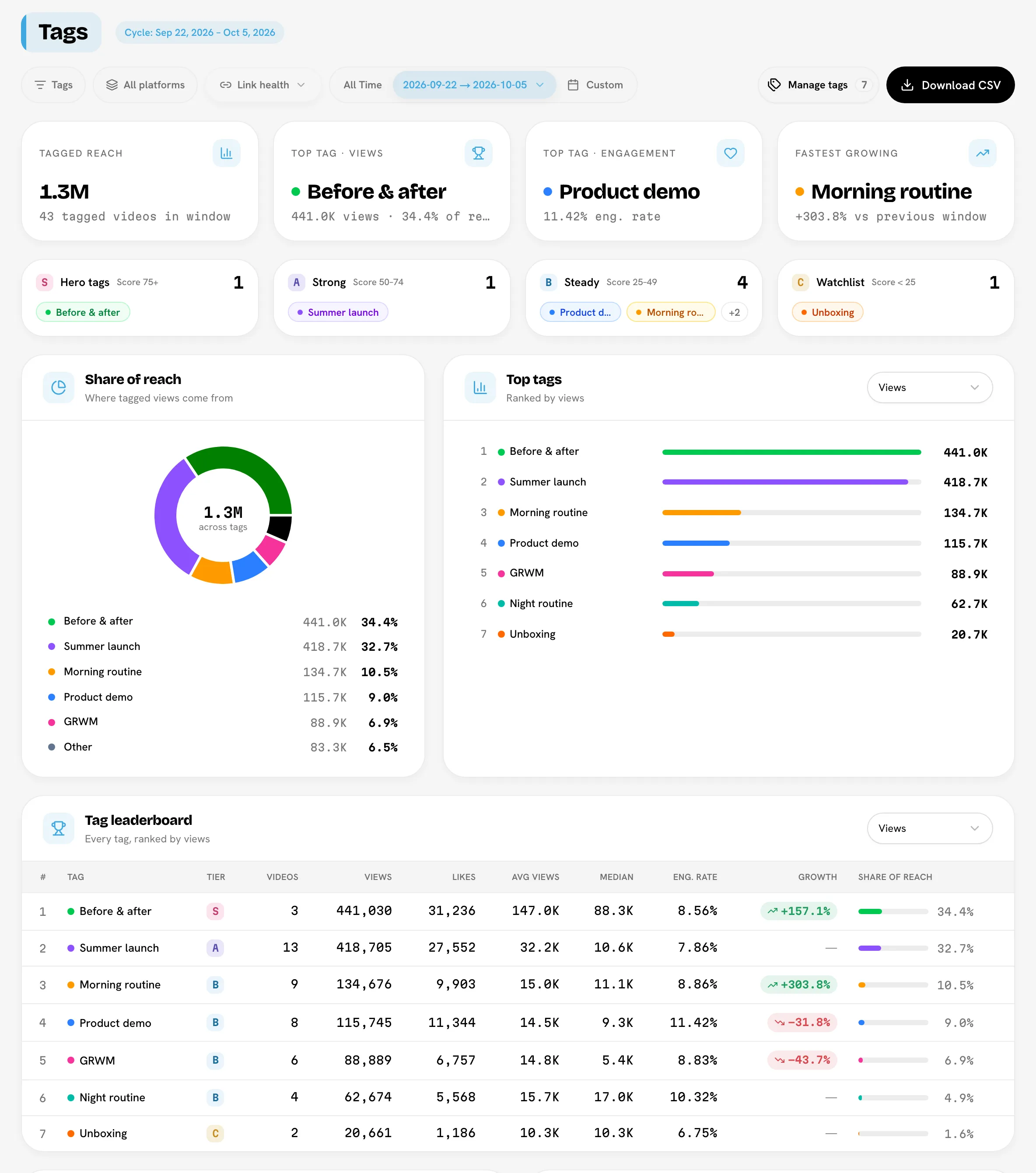
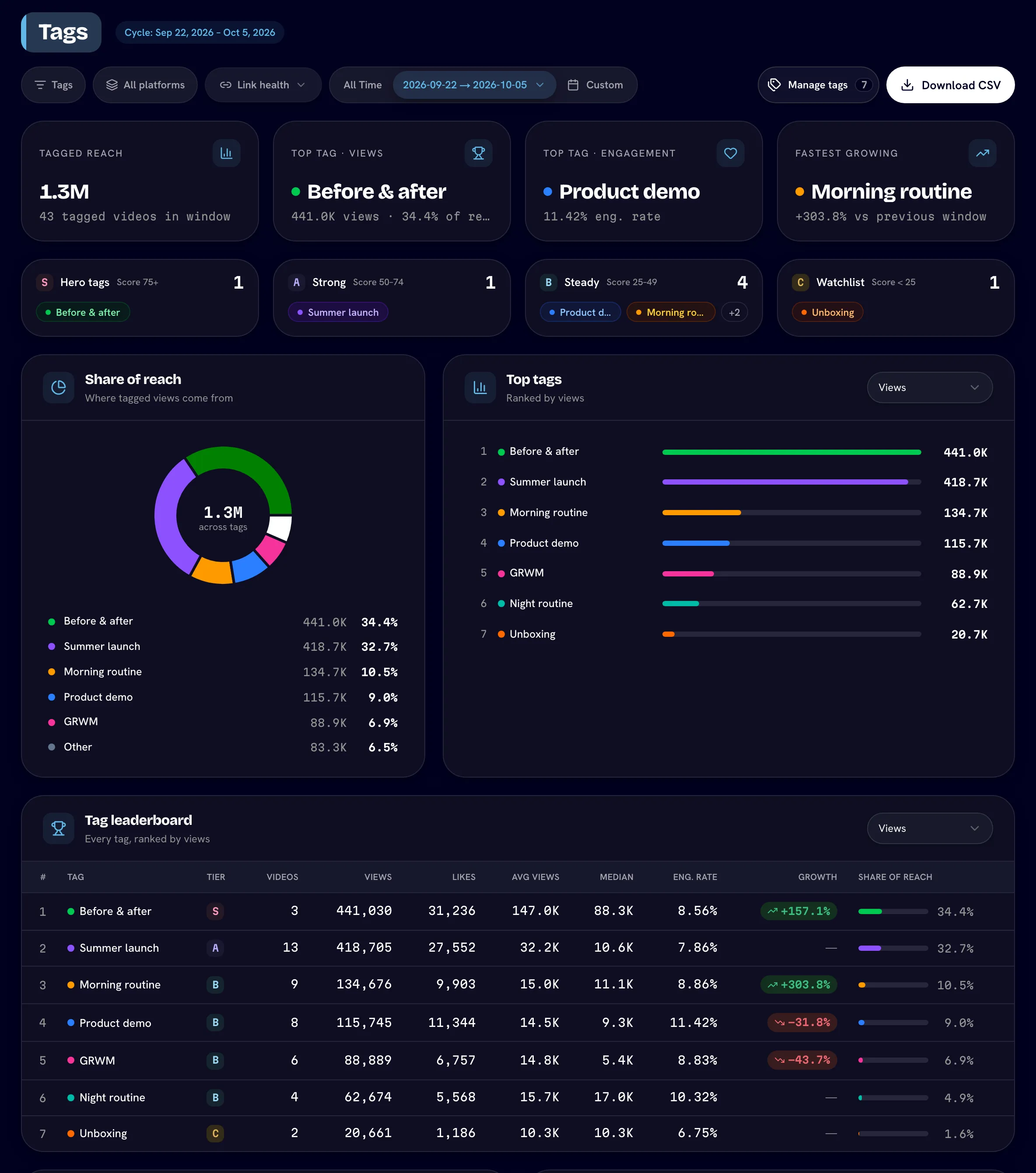
Choose what to look at
- Window: a payout cycle, a custom range, or all time.
- Platform: All platforms or one platform.
- Tags: show only specific tags.
- Download CSV: the tag leaderboard plus every set and post behind it, for the current window.
The tiles
Tagged reach, Top tag · views, Top tag · engagement, Fastest growing and Active tags.
Performance tiers
Every tag gets a score from 0 to 100 and lands in one of four tiers:
| Tier | Badge | Score |
|---|---|---|
| Hero tags | S | 75 and up |
| Strong | A | 50–74 |
| Steady | B | 25–49 |
| Watchlist | C | under 25 |
How the score works
The score blends three things, each measured against the best tag in the same window:
| Part | Weight | Measures |
|---|---|---|
| Reach | 50% | The tag's total views, compared with the tag that has the most views. |
| Engagement | 30% | The tag's engagement rate, compared with the highest engagement rate. |
| Average views | 20% | The tag's views per video, compared with the highest views per video. |
Engagement rate is (likes + comments + shares) ÷ views × 100.
Example. Your top tag by views has 2,000,000 views. Tag "Unboxing" has 1,000,000 views (half the top: 25 of 50 points), the best engagement rate of any tag (30 of 30), and 60% of the best views per video (12 of 20). Its score is 25 + 30 + 12 = 67, so it's Strong.
Because the score is relative, it answers "how does this tag compare with my other tags right now?" — not "is this tag good in absolute terms?". A tag with no videos in the window scores 0. The score is always worked out across all platforms, even when you filter to one.
The rest of the page
- Share of reach — where tagged views come from.
- Top tags and the Tag leaderboard — tags ranked by the metric you choose: Views, Likes, Avg views, Median views, Eng. rate or Videos. The leaderboard also shows each tag's tier. Median views is the middle video's views, so one viral post can't skew it.
- Tag × platform — average views per video for each tag on each platform. Darker is stronger.
- Winning combinations — the tag pairs that most often appear together on the same videos, with their combined views.
Reading the numbers
- A video counts toward every tag it carries, so per-tag totals can add up to more than your brand's totals.
- Growth compares each tag's reach with the window of the same length just before it. It's shown for a cycle or custom range, not for all time.
- Numbers use each video's latest daily snapshot in the window.
Related
Last reviewed Oct 13, 2026
Video Vault
Browse every video and set in your campaign, filter down to exactly what you need, play videos in the theater view, read per-video analytics and tag content.
Link health
How Bloss spots dead links and changed or unreachable creator accounts, what each badge means, and what it deliberately doesn't flag.