
Scripts and script matching
Bring in the scripts your creators film from, and let Bloss find which script each post follows and tag its set.
A script is a brief your creators film from: a code, a title, the hooks a video can open with and what's said after. Bring your scripts in from Notion, Google Docs or an AI chat. Bloss then reads what each post says, works out which script it follows, and puts that script's tag on the post's set. You can then filter, compare and report by script like any other tag.
Brand admins see Scripts in the admin console. Creators don't see scripts or which one their posts were matched to.
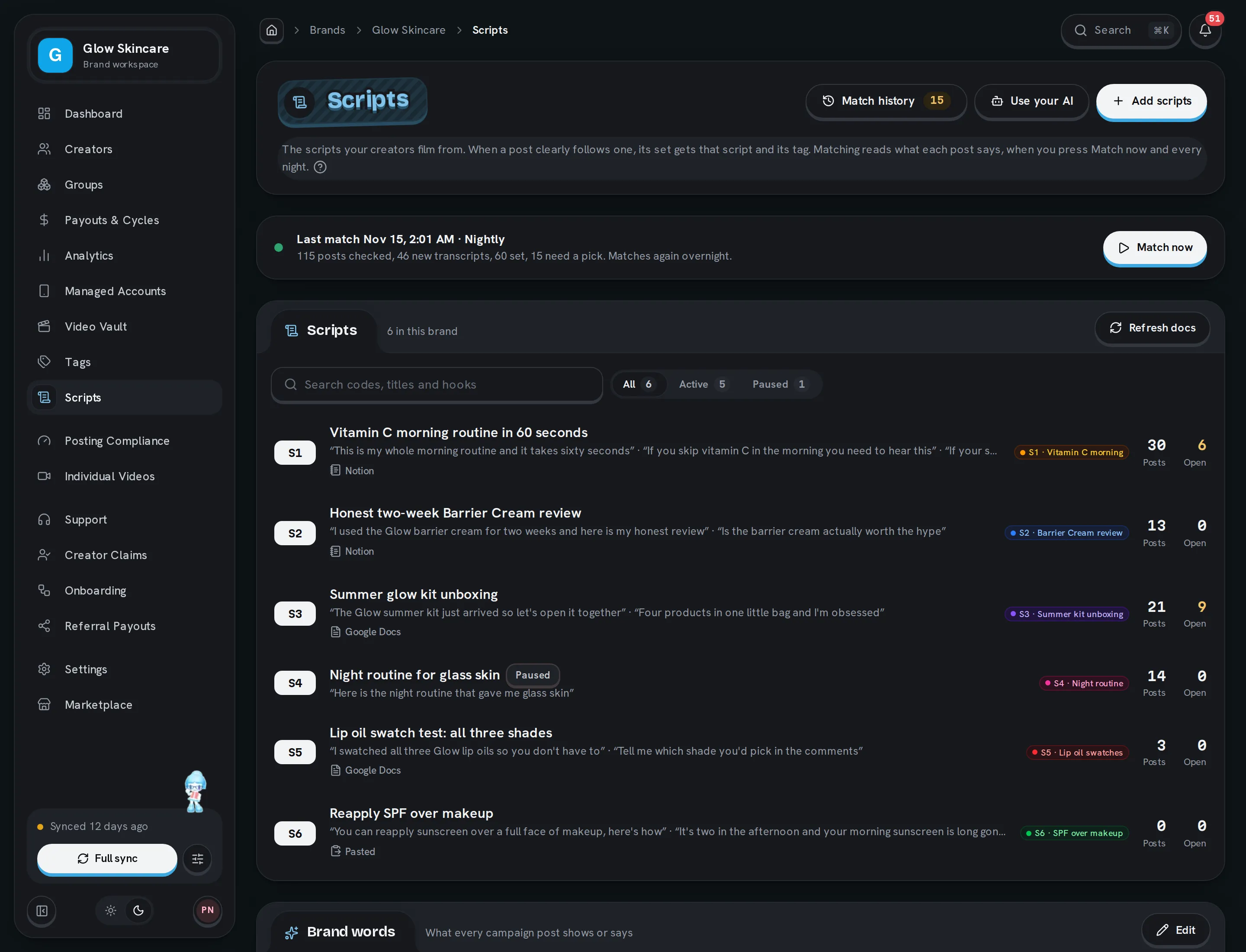
Open Scripts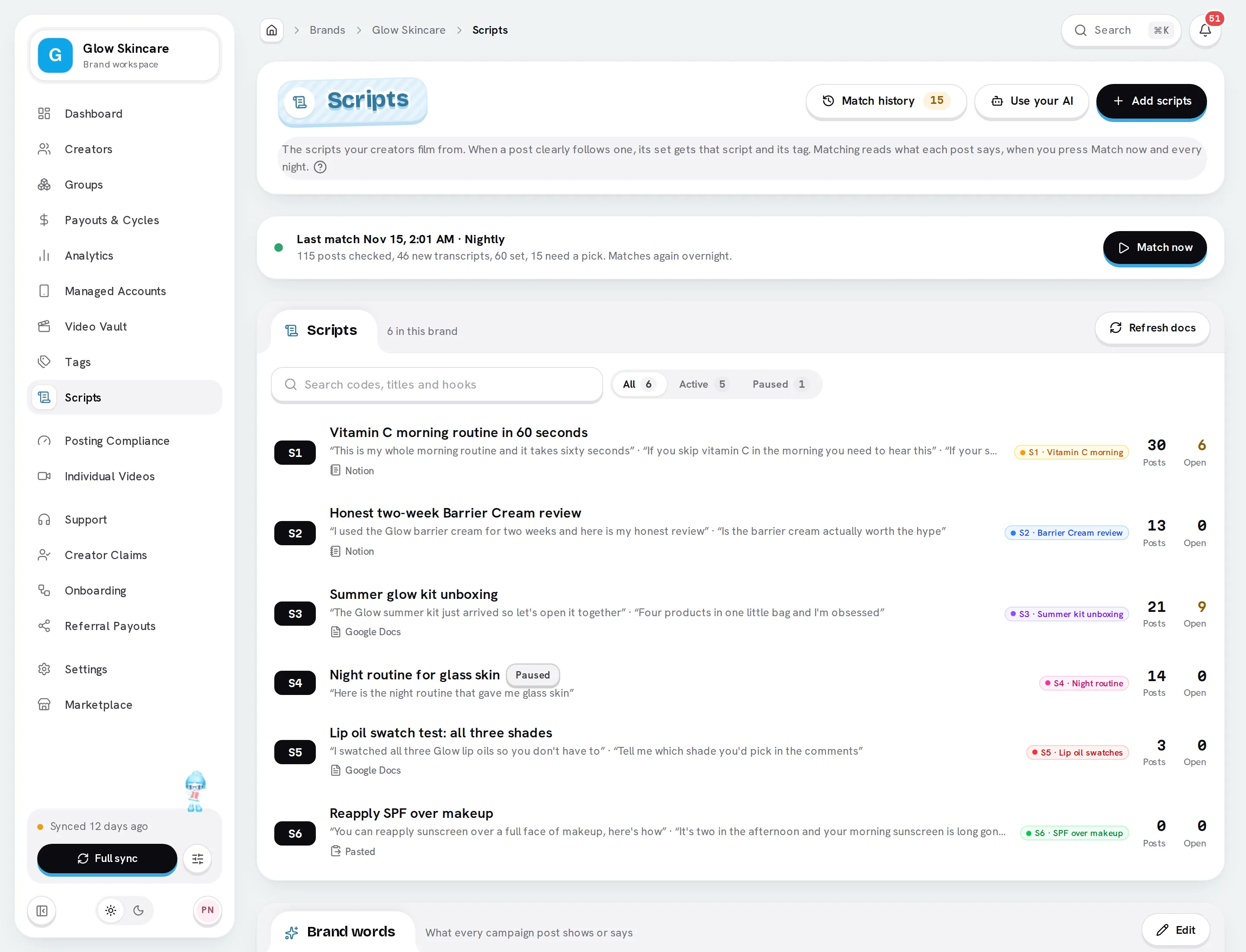
How it works
Add your scripts
Paste links to your Notion pages or Google Docs, paste scripts from ChatGPT or Claude, or let your own AI add them. Bloss keeps a copy of each document and reads its code, title, hooks and script.
Bloss matches your posts
Every night, and whenever you click Match now, Bloss reads what each recent post says and scores it against your active scripts. A clear match gets the script and its tag.
You settle the close calls
Posts that could follow two scripts wait in Match history for you to pick one. Going through them takes a few key presses each.
Report by script
Each script has its own tag, so the Video Vault, tag analytics and reports can show you which scripts get the views.
Add scripts
On the Scripts page, click Add scripts. You can bring in up to 25 documents at once.
From Notion or Google Docs
Make each script readable by link:
- Notion: open the page, click Share, then Publish, and publish it.
- Google Docs: click Share and set General access to Anyone with the link.
In Add scripts, choose Notion or Google Docs and paste the links, one per line. You can mix Notion pages and Google Docs.
Click Read docs. Bloss shows what each document becomes: its code and title, how many hooks it found and how much script, and whether it's new or updates one of your scripts. A document Bloss can't read says why.
Click Add scripts. Each script keeps a copy of its document, which you see when you open the script.
Bloss reads the layout script documents usually have:
| In the document | Becomes |
|---|---|
| A title like (3A) I'm embarrassed to say | Code 3A, title "I'm embarrassed to say" |
| HOOK option 1, Hook 2… | One hook each |
| text hook or a line starting On screen: | What's on screen |
| verbal hook, script or a line starting Said: under a hook | What's said |
| A Script or Text section of its own | The body |
| Demo Direction, reference video and the rest | Shown with the script, not matched |
- Updating: a document whose code matches one of your scripts updates that script's title, hooks and body. Its tag and Active switch stay as they are. Other documents become new scripts, each with a tag named after it, like S7 · Post-workout skin reset. A document without a code in its title gets the next free code.
- Changed a document? Click Refresh docs above your scripts to read every linked document again, or Refresh on one script.
- Images in Google Docs stay in the doc: open it to see them. Images on Notion pages show with the script.
From ChatGPT or Claude
If you write scripts with an AI chat, paste its answer straight in.
In Add scripts, choose Paste text and click Copy the prompt. It asks your chat for scripts in a format Bloss reads.
Paste the prompt in your chat with what you want scripts about, then copy its answer and paste it into Add scripts.
Click Read scripts, check what each one becomes, and click Add scripts.
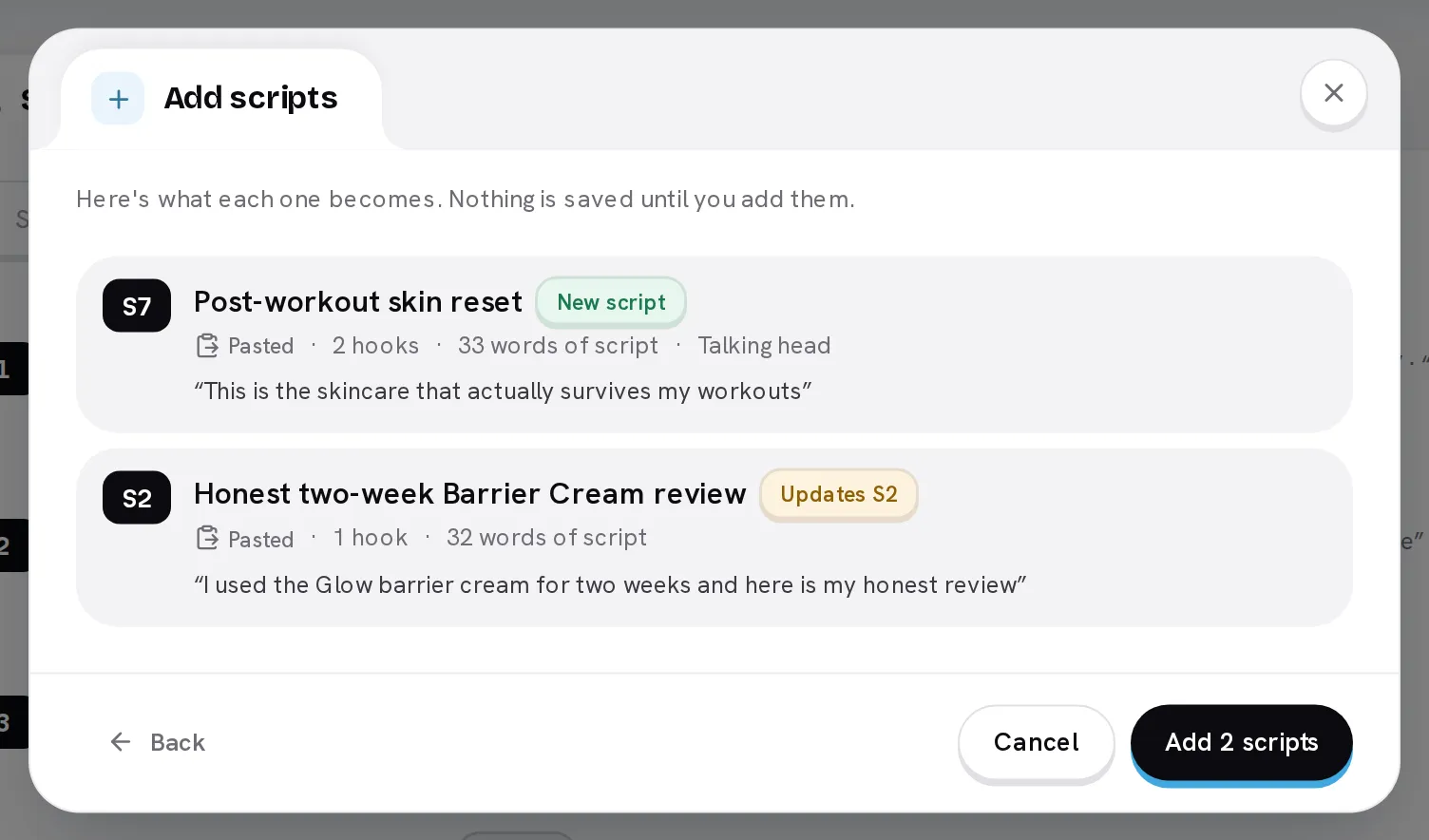
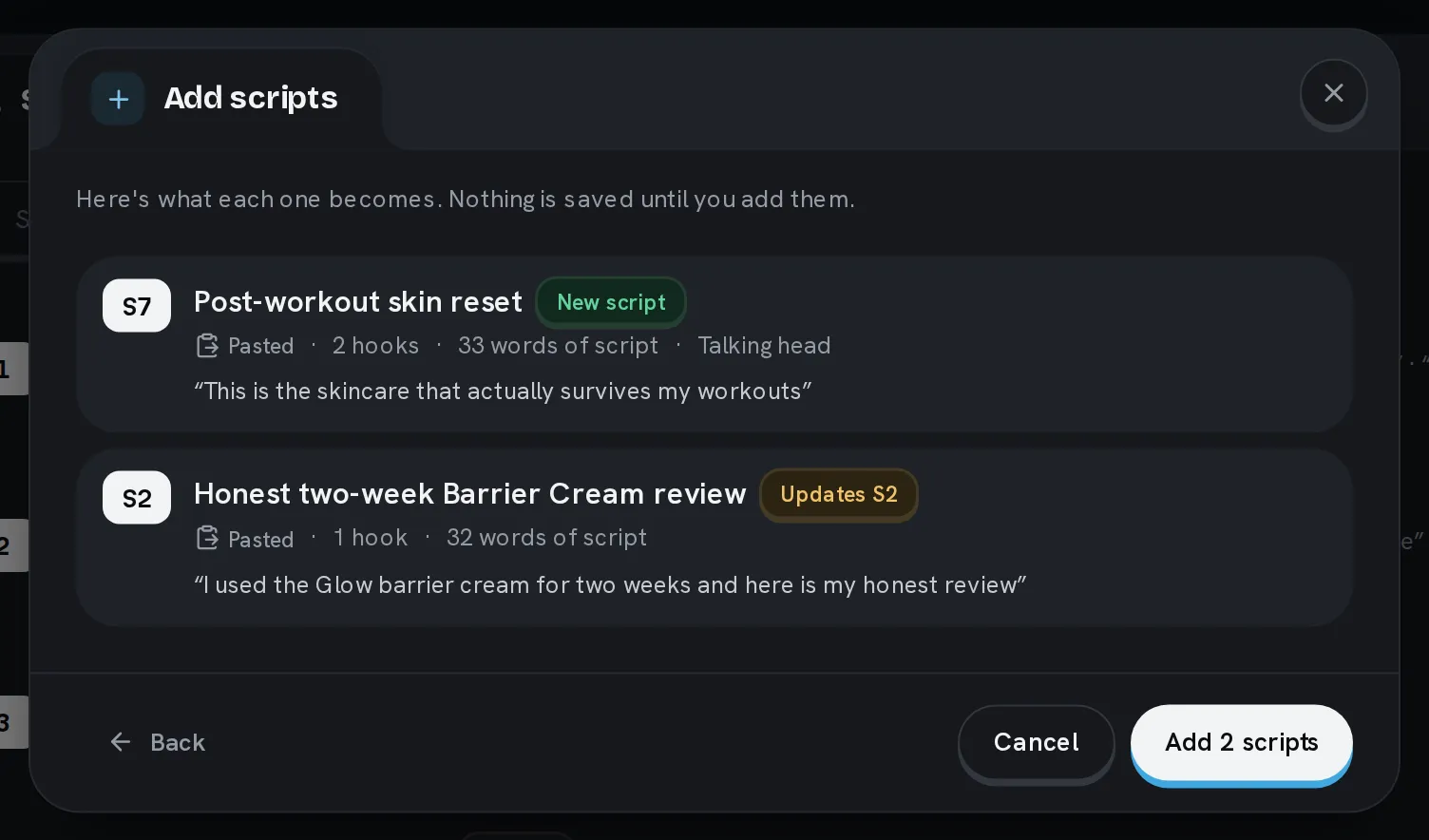
You can paste several scripts at once: separate them with a line of ---, or give each its own heading with a code. The format looks like this:
# (S5) I paid $40 in late fees

## Hook 1
On screen: I paid $40 in late fees last month
Said: I paid forty dollars in late fees last month

## Script
I just open the app and turn on bill reminders.
Comment "bills" and I'll send you the link.
With your AI
On the Scale plan you can connect Bloss to Claude, ChatGPT, Cursor or another app that supports MCP, and let it add and update scripts itself. Click Use your AI on the Scripts page for the server URL and examples of what to ask, and see AI agents (MCP) for each app's setup. Give it the permission Create, edit and delete tags and scripts, tag or untag videos and sets, and match posts to scripts.
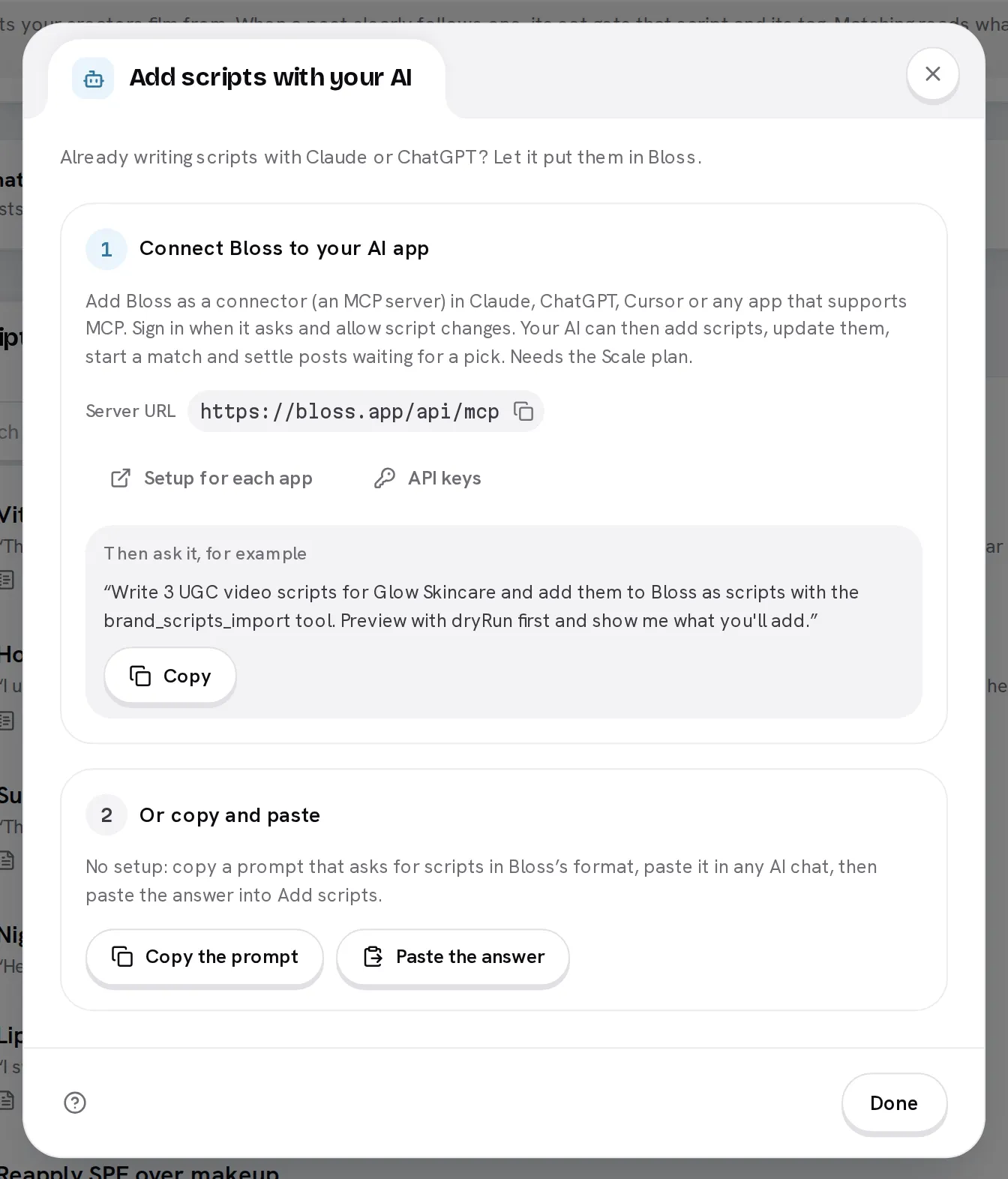
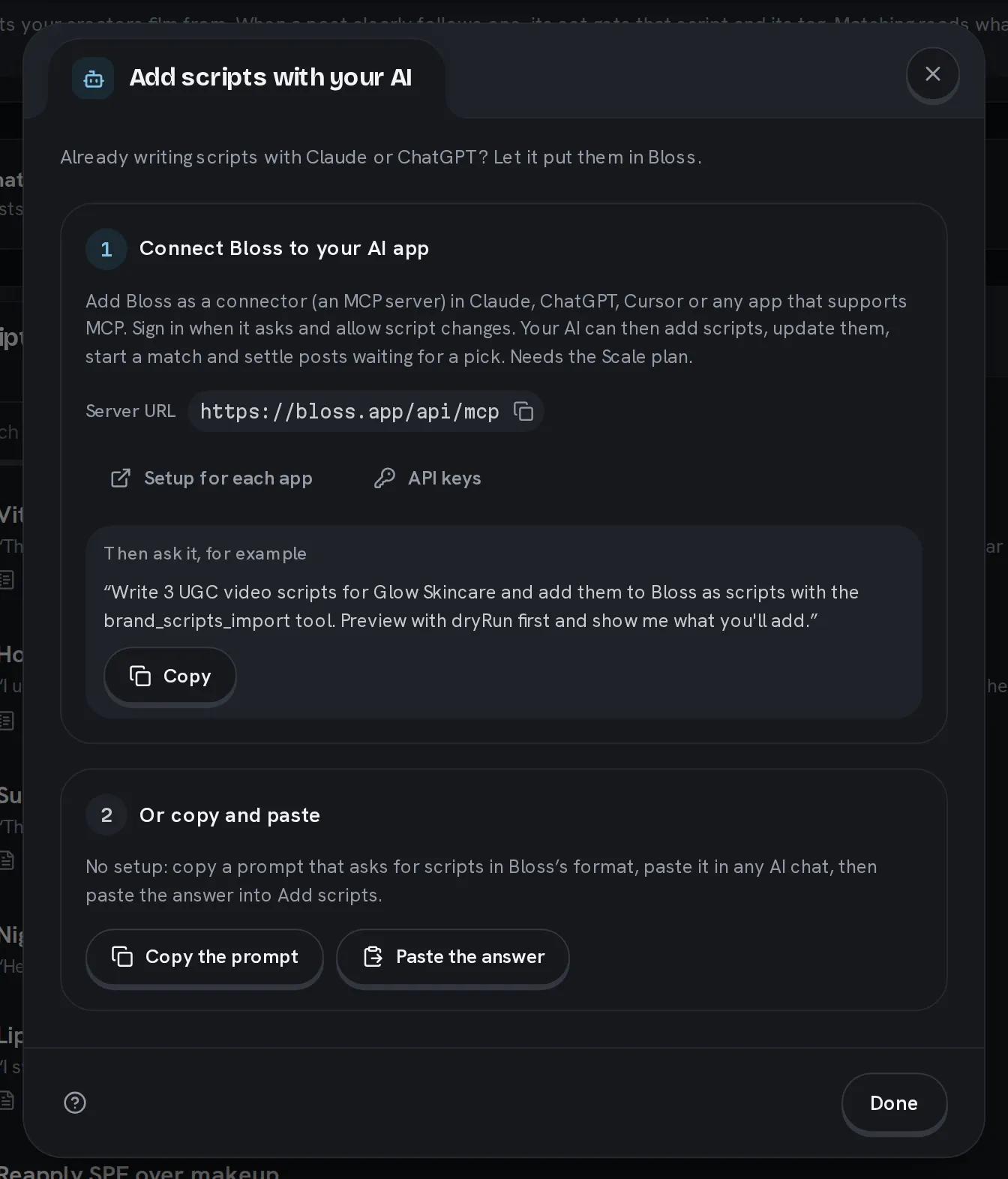
It can then add scripts it writes or that you link, update them, start a match and settle posts waiting for a pick. Ask it to show you a preview first and it will, before it adds anything.
Write one here
Click Add scripts, then Write one instead. Fill in the form, or paste a Notion or Google Docs link into Fill from a doc to fill it for you.
| Field | What it's for |
|---|---|
| Code | A short label, like S1. Unique within your brand. |
| Title | What the video is about. It also counts as a hook. |
| Tag | The tag matched sets get. Pick one of your tags or type a new name to create it. |
| Hooks | How a video can open: the text on screen and the line that's said. Add one row per hook. |
| Body | What the video says after the hook, in Markdown. |
| Active | Match posts against this script. A paused script keeps the posts it already has. |
Click Create script. The next match scores your posts against it.
Write hooks the way creators open
The first 30 words a post says are compared with the title and each hook, and that carries most of the score. The body is compared with everything the post says.
- Write each hook the way a creator would say it, not as a description.
- For alternatives within one hook, put or on its own line between them. Each alternative is matched on its own.
- Text in square brackets, like
[amount], is ignored. - Lines every script shares, like "Use case: …", count for nothing.
View a script
Click a script to open it in a side panel. With more than a few scripts, search by code, title or hook, or show only Active or Paused ones.
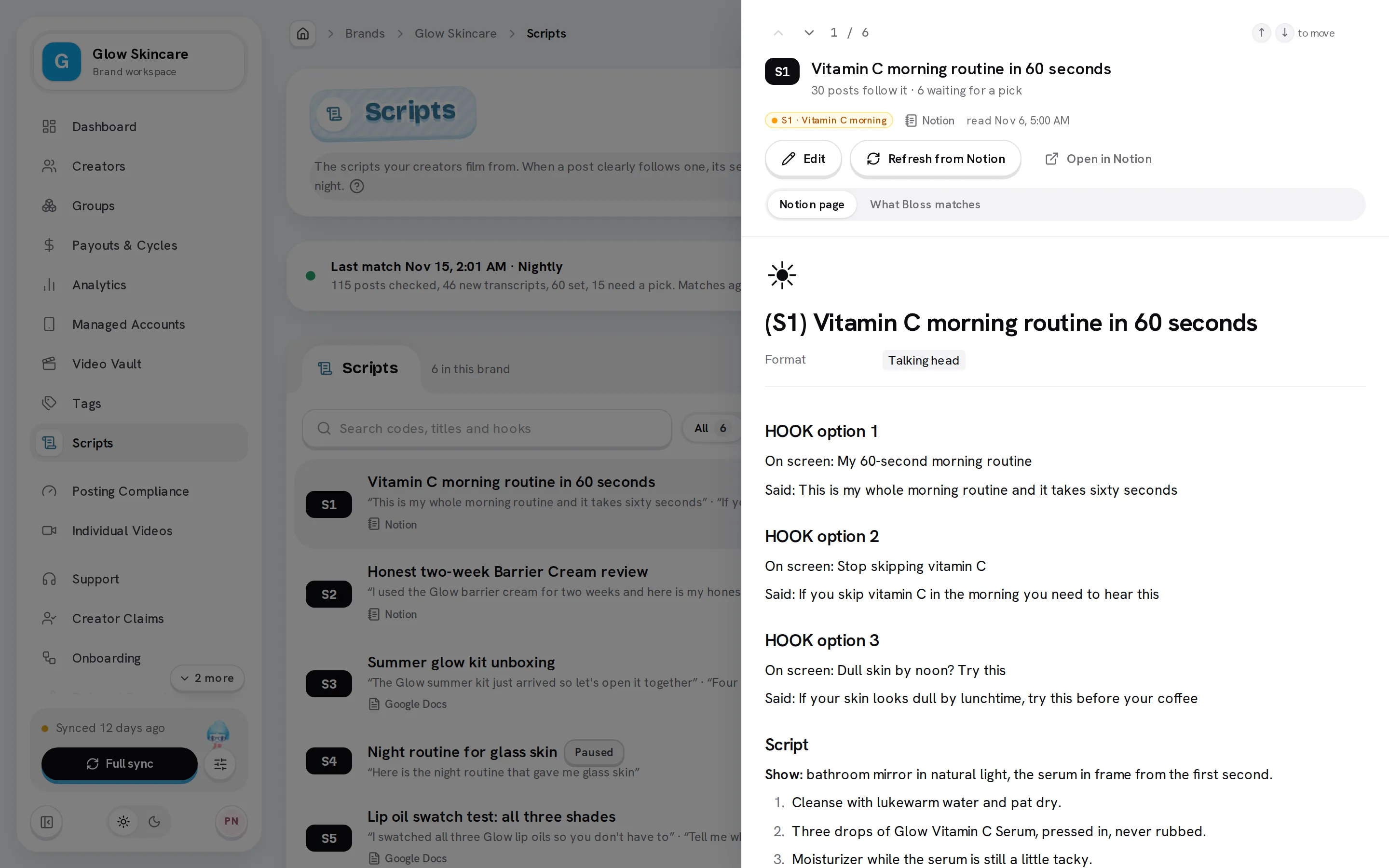
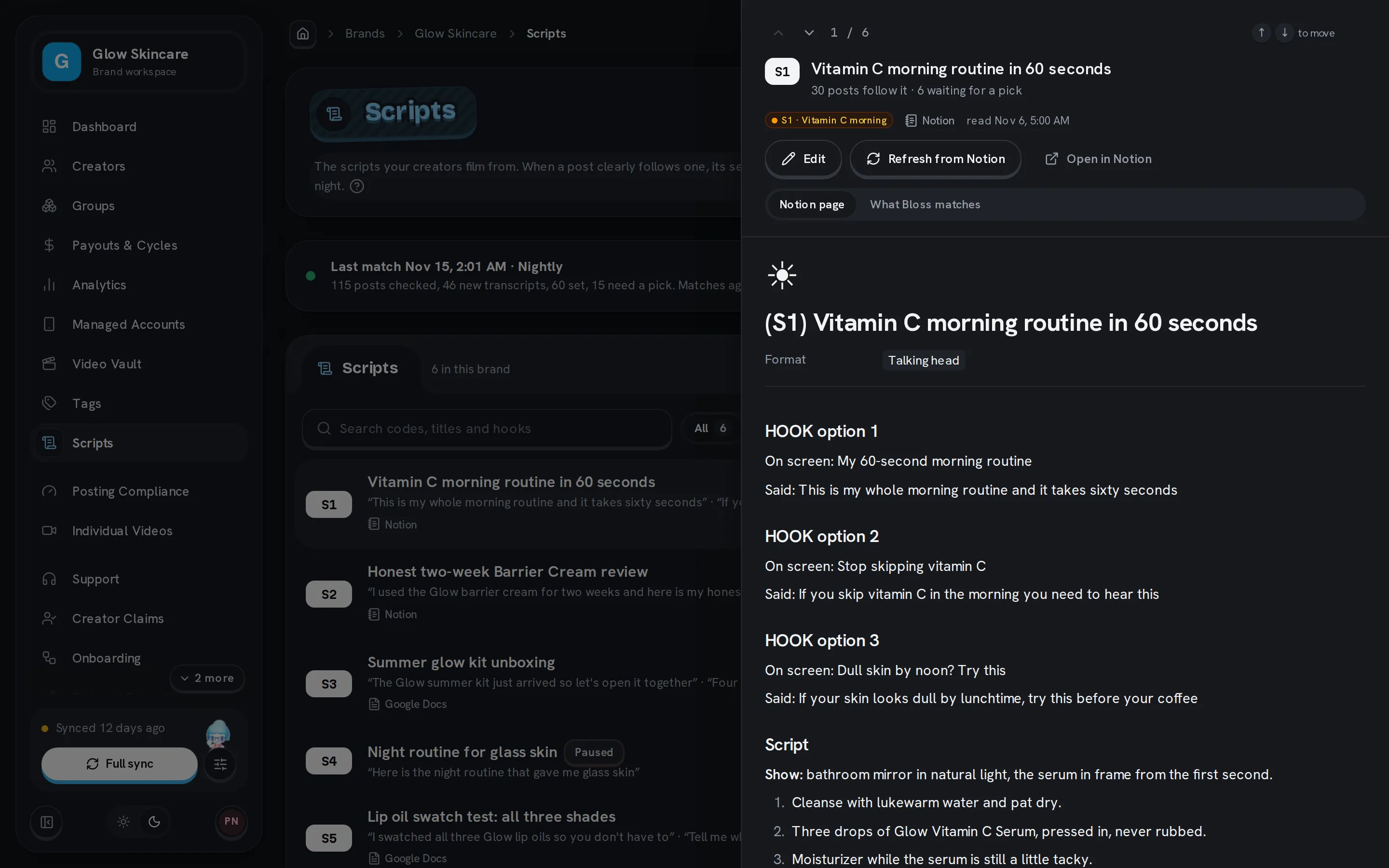
- A script from a document shows that document: its sections, screenshots and reference videos. What Bloss matches shows the hooks and body that posts are compared with. The header says how many posts follow the script.
- Edit the script, Refresh it from its document after you change the document, or open the document.
- Press ↑ and ↓ (or K and J) to move between scripts.
- The page's address links to the open script, so you can share it with your team.
Set your brand words
Brand words are what every campaign post shows or says: your brand's name, its handle, its site. Click Edit on the Brand words card and add one per line. Capital letters, spaces, dots and # don't matter, and a word needs at least 4 letters or digits to count.
A post that never names a brand word (in its caption or in what it says) and isn't a very clear match is treated as a warmup or personal post: it gets no script and is never flagged.
When matching runs
Matching never runs during a sync. It runs:
- when you click Match now on the Scripts page or in Match history, and
- every night, after the day's sync. Turn this off with Match every night in the Brand words dialog.
Each match looks at posts from the last 30 days and at posts in payout cycles that aren't paid yet. You can leave the page while it runs.
How a post gets its script
Bloss reads each post's transcript once and keeps it. It scores the post against every active script, then compares the best script with the runner-up. That ratio is the lead: 2× means the best script scored twice as well as the next one.
| What Bloss finds | What happens | Shows as |
|---|---|---|
| You picked the post's script | Never changed by a match | Set by a person |
| The post says too little to read (for example music with text on screen) | Left alone | Nothing to read |
| No brand word anywhere, and a lead under 2× | No script, never flagged | Not campaign |
| The best script is the one the post already has | Kept | Kept |
| A lead of 1.5× or more | The best script and its tag are set | Set |
| A lead under 1.5×, and the post's current script is within 1.3× of the best | Kept | Kept |
| Anything else | Waits for you to pick | Needs a pick |
Before a post waits for you, an AI may take a second look at it, with its transcript and thumbnail. It sets a script only when it's sure; otherwise the post waits for you as before. It never marks a post as not a campaign video.
The videos of one set are the same video on different platforms, so they share one script. A post that can't be read takes the script of the others in its set.
Bloss reads only what posts say. Videos that only show text on screen come back as Nothing to read until you pick their script.
Match history
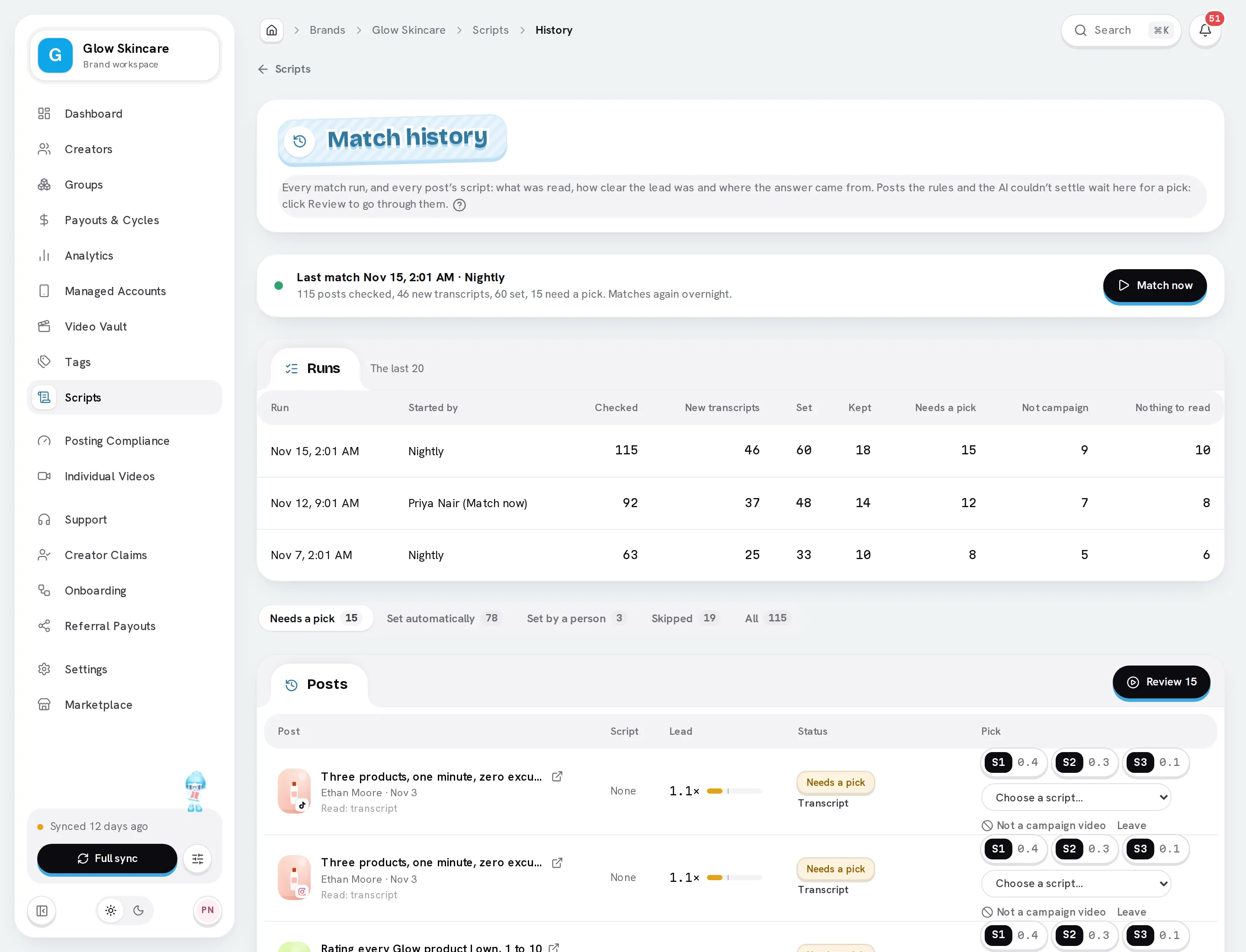
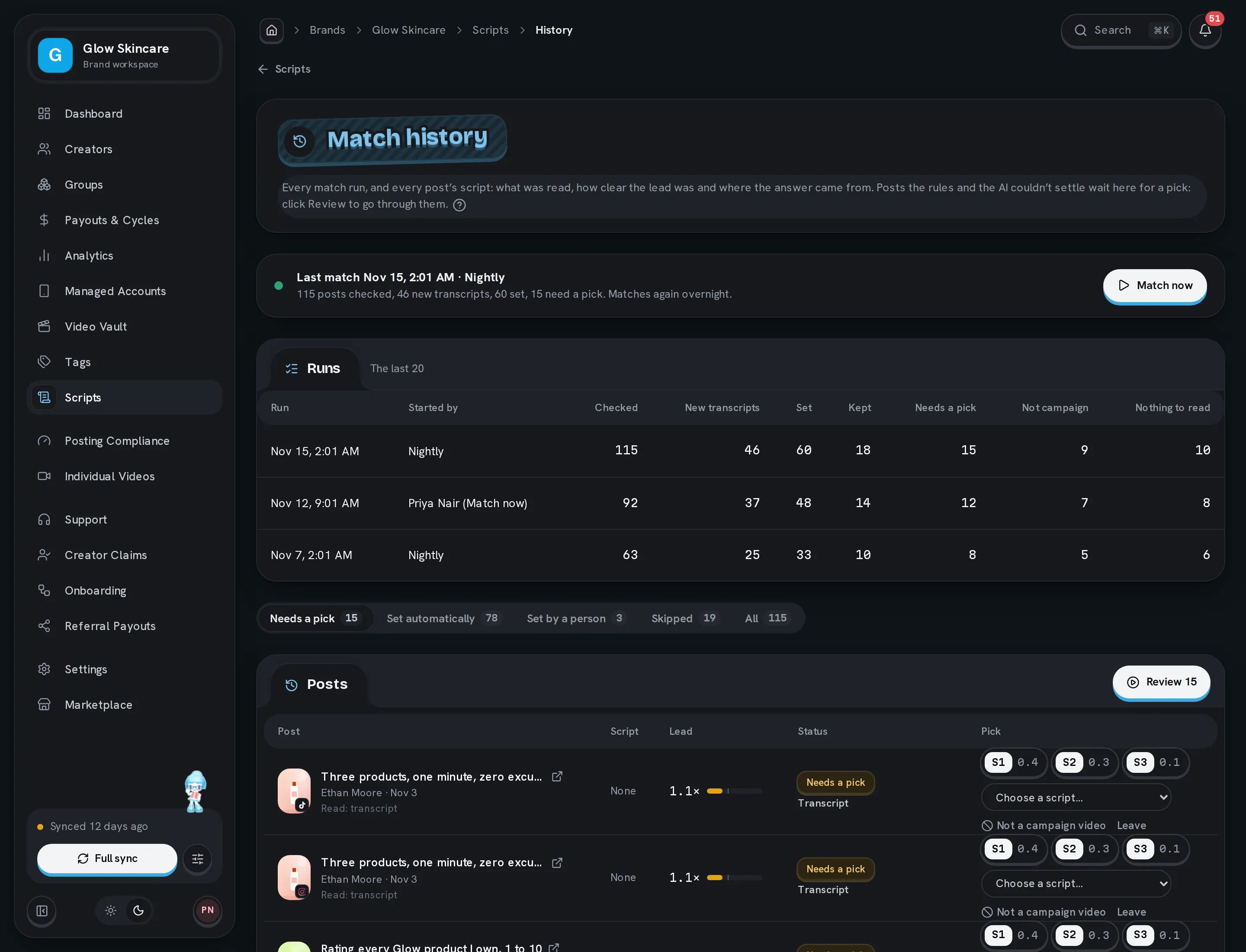
Click Match history on the Scripts page. It shows:
- Runs: each match, who started it, and how many posts were checked, set, kept or left for you.
- Posts: each post's script, its lead, its status and where the answer came from. Filter by Needs a pick, Set automatically, Set by a person, Skipped or All.
Review posts
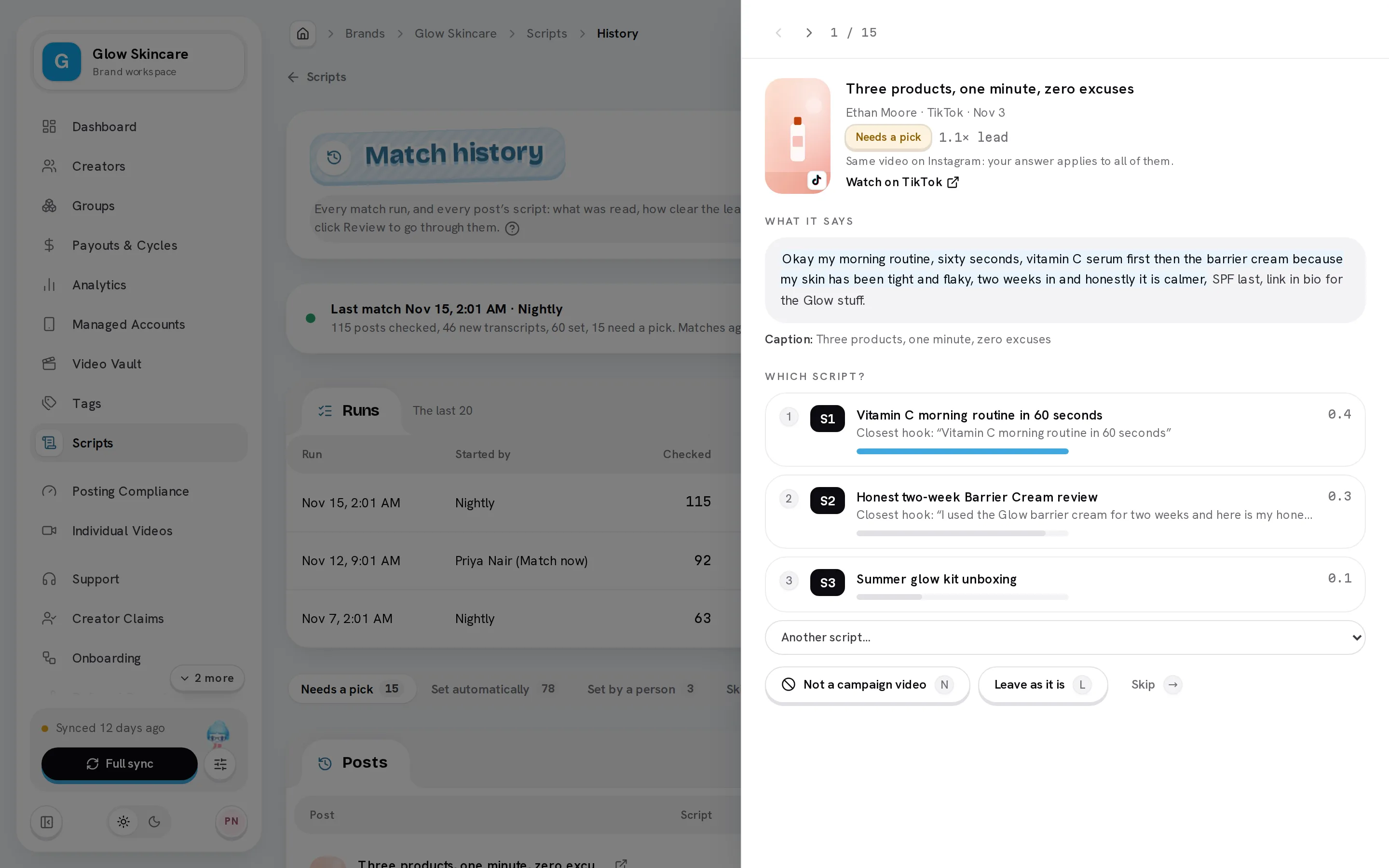
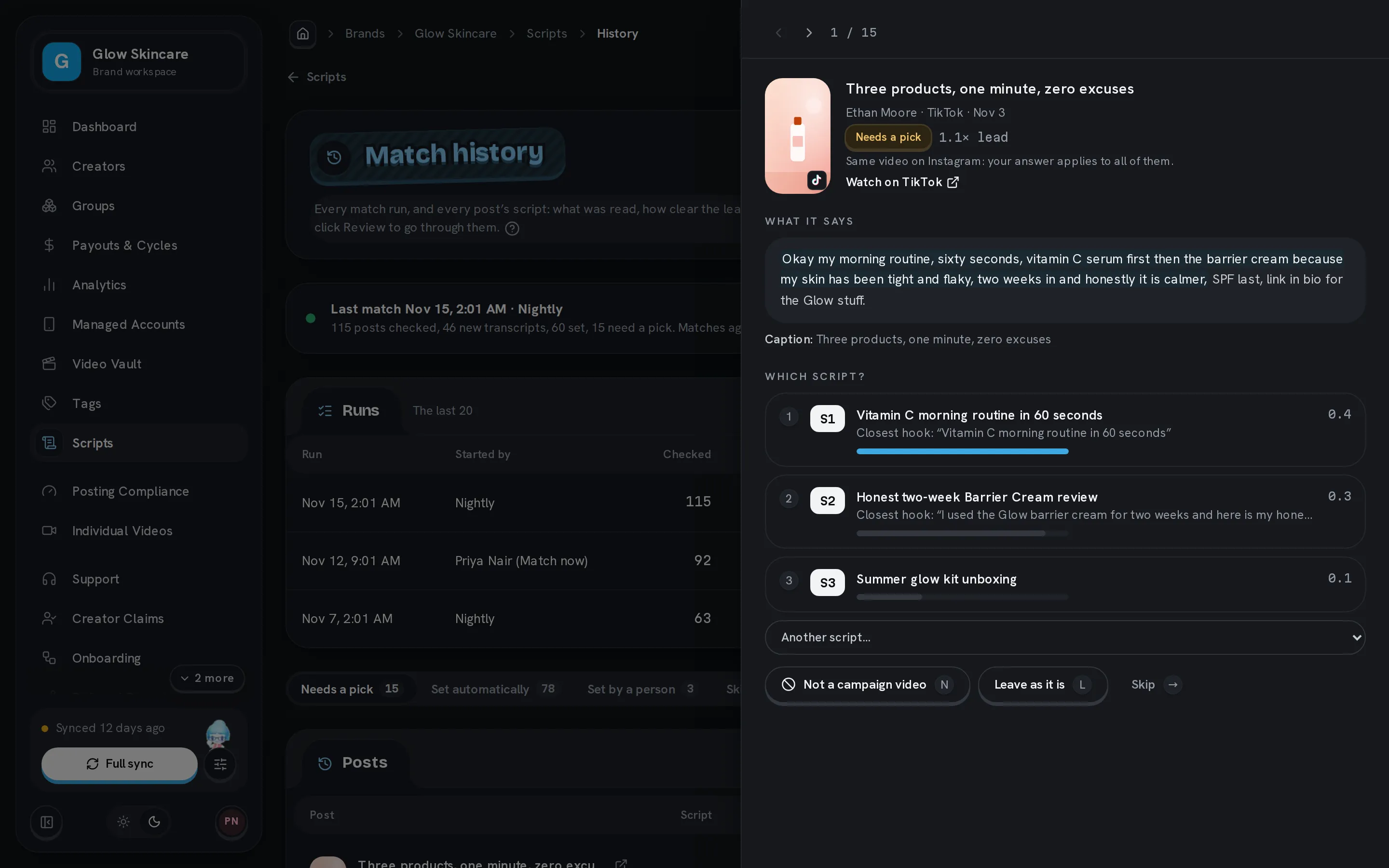
Click Review above the posts, or a post's title, to go through them one at a time. Each post shows:
- What it says, with its first words marked: those are compared with the hooks.
- Its caption, and a link to watch it.
- The best guesses, each with its closest hook.
| Key | Does |
|---|---|
| 1, 2, 3 | Pick that script. |
| N | Not a campaign video: the post and the rest of its set get no script. |
| L | Leave: keep the post as it is. |
| → | Skip to the next post. ← goes back. |
After an answer, the next post opens. You can also pick from the list: click a suggested script, or choose any script from the menu.
Your answer applies to the whole set and no match changes it. To let matching decide again, click Hand back (under Set by a person). The whole set then waits for the next match, and its script tag comes off until then.
Script tags
- A set carries the tag of its script. When its script changes, the old script's tag comes off.
- Changing a script's tag moves its posts to the new tag.
- Deleting a script doesn't remove its tag from posts. Delete the tag on the Tags page if you want it gone.
- Tags that don't belong to a script are never touched by matching.
Script tags don't change pay.
See a post's script in the Video Vault
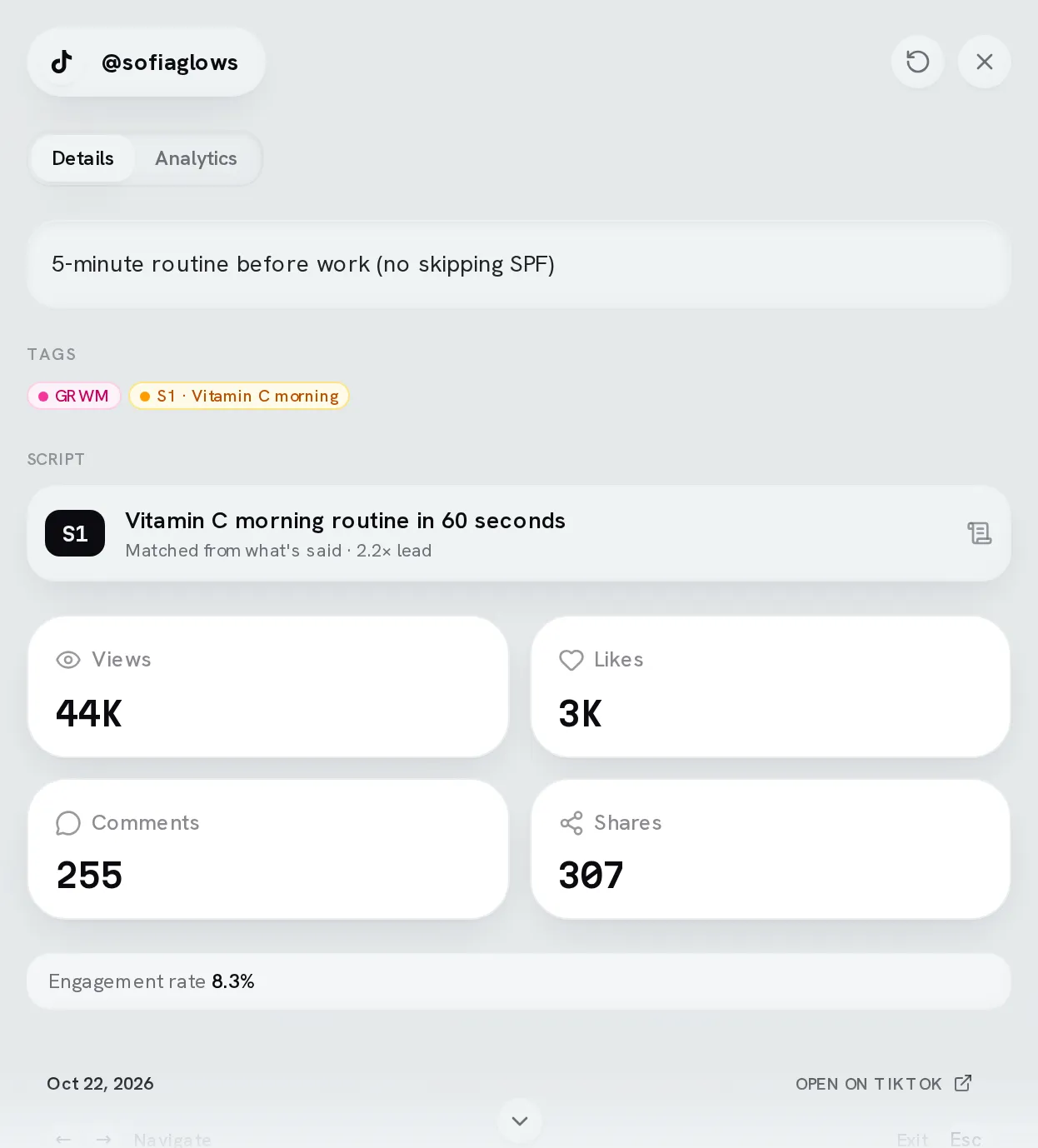
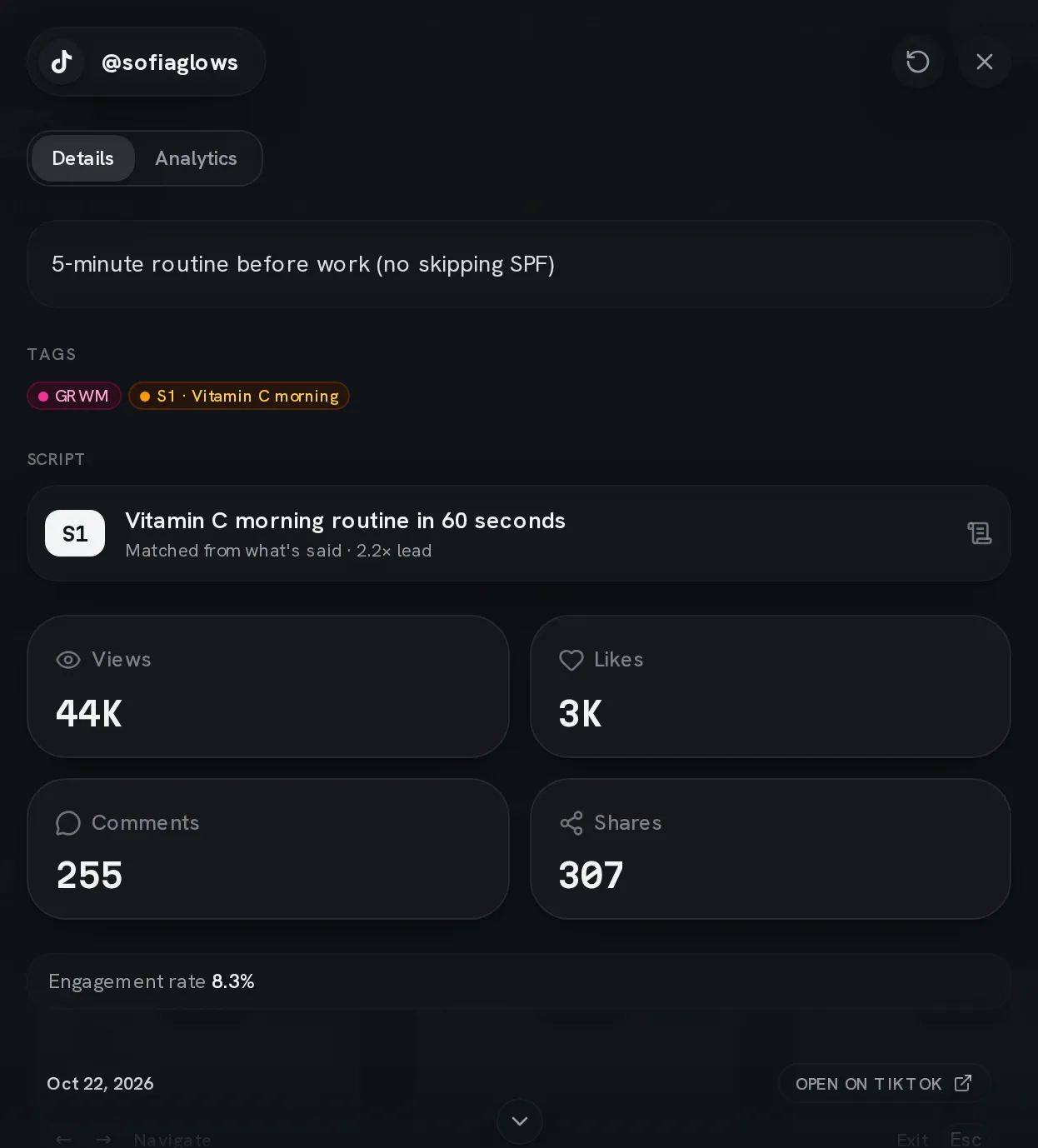
Open a video in the Video Vault. When it follows a script, Details shows Script under its tags: the script's code and title, and how it was decided (matched from what the post says, by the AI's second look, the same as the rest of its set, or set by a person). Click it to open Match history. Posts waiting for a pick, skipped or never matched show no script.
Common questions
Related
Last reviewed Nov 15, 2026
Tags and tag analytics
Label videos and sets with tags — hooks, products, formats — and use Tag analytics to see which ones perform, how the score and tiers work, and which tags win together.
Link health
How Bloss spots dead links and changed or unreachable creator accounts, what each badge means, and what it deliberately doesn't flag.